# What is onocoy?

#### 🛰️ What is onocoy?

**onocoy** is a **decentralized platform** that enables the **global, community-driven distribution of high-precision GNSS (Global Navigation Satellite System) correction data**.

It’s built on **Web3 technologies** (blockchain, tokens, smart contracts) to allow anyone—individuals, businesses, or institutions—to contribute to and benefit from a global network of GNSS reference stations.

Find out everything about onocoy in the whitepaper — or in this documentation.

{% file src="/files/YdZVF0IyWcV0xV6u21x9" %}
onocoy whitepaper
{% endfile %}

***

#### 🌐 What Problem Is onocoy Solving?

High-precision GNSS positioning (like centimeter-level GPS accuracy) requires **correction data** from **Continuously Operating Reference Stations (CORS)**.

**Today’s issues:**

* Expensive and centralized infrastructure.
* Limited coverage (mainly wealthy urban/agricultural areas).
* Proprietary standards and vendor lock-ins.
* Exclusion of developing regions from accessing this technology.

***

#### 💡 How Does onocoy Work?

**🧱 1. Decentralized GNSS Reference Stations**

Anyone can set up a GNSS station (a "miner") and stream correction data to onocoy.

**💰 2. Token-Based Incentives (ONO Token)**

Operators earn ONO tokens based on:

* Quality of data,
* Uptime,
* Geographic location (under-served areas earn more),
* Actual usage of their data.

**🔍 3. Validator Network**

To ensure only **authentic, high-quality** GNSS data is rewarded, onocoy uses a **decentralized validator system** to detect fake or low-quality signals.

**🔗 4. Web3 Infrastructure**

* Powered by the Solana blockchain.
* Uses **smart contracts** for reward distribution and governance.
* Supports **open GNSS protocols** (NTRIP, RTCM) to ensure interoperability.

**🧠 5. Community Governance**

onocoy is a **non-profit Swiss association**. Its direction is governed by token holders using **square-root voting**, ensuring a fair and decentralized decision-making process.

***

#### 🚀 What Makes onocoy Unique?

* **DePIN for GNSS**: A decentralized physical infrastructure network for location services.
* **Open and inclusive**: Supports open standards, no vendor lock-in.
* **Mass-market ready**: Enables affordable pay-per-use correction data for everyone.
* **Equity and access**: Brings high-precision positioning to under-served and remote areas.

***

#### 🔮 Vision

> onocoy wants to make **high-precision positioning** as **ubiquitous and accessible** as Wi-Fi — for autonomous vehicles, smart agriculture, disaster response, climate monitoring, and more.

***


# Why GNSS matters?

### 🎯 Why GNSS Matters for High-Precision Applications

High-precision GNSS is about going from **meter-level accuracy** (like your phone’s GPS) to **centimeter or even millimeter-level precision** — and that opens up a whole world of critical, high-impact use cases.

Here’s why it’s a game-changer:

***

#### 🚜 1. **Precision Agriculture**

Farmers use GNSS to:

* Automatically steer tractors with centimeter-level guidance.
* Apply seeds, water, and fertilizer **only where needed**.
* **Boost yields**, save resources, and reduce environmental impact.

Without high-precision GNSS, this kind of **site-specific farming** wouldn't be possible.

***

#### 🚧 2. **Construction & Surveying**

* Surveyors use GNSS to **map terrain and boundaries** with millimeter precision.
* Construction equipment uses GNSS for **machine guidance**, aligning structures down to exact tolerances.
* Saves time, reduces errors, and eliminates costly rework.

This is vital for major infrastructure projects — roads, bridges, tunnels, etc.

***

#### 🚗 3. **Autonomous Vehicles**

* Self-driving cars, drones, and delivery robots need ultra-precise positioning.
* Standard GPS isn’t enough — they need to know **exactly which lane** they’re in, or where a sidewalk ends.
* High-precision GNSS ensures safety and navigational confidence in real-time.

***

#### 🌋 4. **Environmental Monitoring & Disaster Warning**

* Scientists use GNSS to **monitor tectonic plate movements**, glacier shifts, and sea-level changes.
* Helps in **early detection of earthquakes and tsunamis**.
* Enables climate researchers to track **long-term geophysical changes**.

This is vital for **public safety and climate resilience**.

***

#### 🚁 5. **Aviation & Aerospace**

* Aircraft rely on GNSS for **precision landing**, especially in remote or low-visibility areas.
* High-precision GNSS is essential for **UAV navigation**, satellite orbit control, and even **space docking**.

***

#### 🏗 6. **Smart Cities & Infrastructure**

* GNSS guides automated street sweepers, snowplows, and lawn mowers.
* It's used in **utility mapping** (e.g., gas, electric, water lines) to avoid underground damage.
* Helps build and maintain digital twins — 3D, real-time maps of cities.

***

#### 🧠 TL;DR:

> High-precision GNSS is **the backbone of automation, safety, and scientific discovery** in physical space.

It takes geolocation from “close enough” to **“exactly right”**, unlocking massive gains in:

* Productivity
* Efficiency
* Safety
* Sustainability

Without it, many modern systems simply wouldn't be **possible** or **scalable.**


# Mission and Vision

## Mission

* onocoy builds the densest GNSS reference station network in the world by leveraging Web3 technology to provide reference stations at a scale and density only possible through a community-driven approach.
* onocoy’s system is resilient and reliable due to decentralization and shared stakeholder governance.
* onocoy aggregates and shares reference station networks across the industry to meet the price points and ease of use needed for mass adoption.
* By utilizing smart contracts, the platform and value chain is automated, hence it is efficient and transparent.

## Vision

* We at onocoy strongly advocate for the inclusive accessibility and utilization of GNSS high precision technology for all.
* We make the system community owned, decentralized and transparently ensuring trust, making it an indispensable utility for the world.
* We pledge that our services are available across borders, and without discrimination, now and for the future.


# DePIN for GNSS

#### 🛰 What is DePIN?

**DePIN (Decentralized Physical Infrastructure Network)** is a web3-powered model where **physical infrastructure** is:

* Built and maintained by a distributed community,
* Incentivized through tokens,
* Coordinated via blockchain and smart contracts.

Instead of centralized companies owning and operating the infrastructure, **anyone** can contribute to the network, earn rewards, and help scale it globally.

***

#### 📡 Applying DePIN to GNSS (Global Navigation Satellite System)

Traditionally, high-precision GNSS services (like RTK or PPP) require **reference stations** (CORS) that:

* Continuously monitor satellite signals,
* Provide correction data to improve positioning accuracy (from meters down to centimeters),
* Are expensive to deploy and maintain, hence only cover certain regions (typically wealthy or industrial areas).

Here’s where DePIN comes in:

***

#### 🔁 onocoy's DePIN Model for GNSS

**🧱 1. Decentralized Reference Station Network**

* Anyone can operate a GNSS reference station ("miner") and connect it to the onocoy network.
* These stations share their GNSS correction data to help improve location accuracy.
* This creates a **global, user-owned network** of physical stations.

**💰 2. Token Incentives (ONO token)**

* Station operators (miners) are rewarded with ONO tokens based on:
  * Data quality
  * Station availability
  * Geographic location (under-served regions are more rewarded)
* These incentives ensure the network **grows where it’s most needed**, not just where it’s profitable.

**🔍 3. Data Validation and Trust**

* Validators in the network check the data for authenticity (detect spoofing/synthetic signals).
* Validation is done via algorithms and blockchain-based scoring, not centralized authorities.

**📤 4. Pay-Per-Use Correction Access**

* Users buy **data credits** (purchased with ONO tokens) to access real-time correction data.
* This makes the system scalable, **open to mass market use**, and not locked behind expensive subscriptions.

**🧠 5. Governance by the Community**

* Network decisions are governed by token holders.
* A Swiss non-profit association provides legal backing.
* Uses **progressive decentralization** to gradually hand over control to the community.

***

#### 🚀 Why It’s a Big Deal for GNSS

* 🌍 **Global Coverage**: Can expand into regions where traditional services don’t reach.
* 💸 **Lower Cost**: Shared infrastructure dramatically reduces deployment costs.
* 🌐 **Open Access**: Anyone can build, use, or improve the network.
* ⚖️ **Resilience and Redundancy**: More nodes mean more robustness and no single points of failure.
* 🔄 **Self-Regulating Ecosystem**: Incentives dynamically guide growth, upgrades, and quality improvements.

***

#### ⚡TL;DR: DePIN for GNSS with onocoy

> It’s like “Helium for GPS” — turning the world into a crowd-powered, crypto-incentivized, real-time GPS correction system. Instead of central companies owning the infrastructure, the people do. 🌍🔗📡

***


# Decentralizing correction data

onocoy contributes to the **decentralization of GNSS correction data** by fundamentally transforming how GNSS infrastructure is built, owned, and operated. Here’s a breakdown of how onocoy achieves this decentralization:

***

#### 🚀 **1. Community-Powered GNSS Infrastructure**

Instead of relying on a few centralized correction service providers, onocoy enables **anyone to operate a GNSS reference station (CORS)** and stream correction data in exchange for tokens. This allows:

* A **broader geographic spread** of stations.
* Participation from individuals and organizations outside the traditional GNSS industry.
* Reduced infrastructure redundancy and costs, compared to centralized models which often over-serve profitable areas and under-serve the rest of the world.

***

#### 🧠 **2. Use of Web3 and Blockchain for Trust & Coordination**

onocoy leverages **blockchain and smart contracts** to create a **decentralized physical infrastructure network (DePIN)**:

* **Token incentives** (ONO token) reward station operators and validators.
* **Smart contracts** manage rewards, data validation, and governance transparently.
* **Non-transferable data credits**, pegged to fiat value, ensure predictability for customers while separating speculation from service access.

***

#### 🔍 **3. Validator Network for Data Quality**

To prevent bad actors from submitting fake or synthetic GNSS data just to earn tokens, onocoy deploys a **decentralized validator network** that:

* Monitors data quality using physical and statistical properties of GNSS signals.
* Validates measurements with real-time and post-processed checks.
* Provides **real-time alerts** and quality scoring for reference station operators.

***

#### 🔓 **4. Open Standards for Interoperability**

Unlike many legacy providers who rely on proprietary protocols, onocoy:

* Supports open standards (e.g., RTCM3 over NTRIP).
* Avoids vendor lock-in.
* Allows integration with existing and new equipment, fostering compatibility and network growth.

***

#### 🧩 **5. Separation of Infrastructure and Services**

Traditional GNSS correction services are vertically integrated—tying hardware, infrastructure, and services together. onocoy **decouples** these layers:

* **Reference stations** become part of a shared infrastructure.
* **Correction service providers** can use onocoy’s data without having to build their own network.
* This opens doors for **mass-market and emerging region applications**.

***

#### 🌍 **6. Enabling Global Coverage and Equity**

onocoy’s model:

* Lowers barriers to entry for contributors and users.
* Creates potential for GNSS correction availability in **under-served regions** like Africa, South America, and rural Asia.
* Supports **humanitarian and scientific applications** such as earthquake early warning, climate monitoring, and global navigation.

***

#### 📈 **7. Progressive Decentralization & Governance**

onocoy’s governance includes:

* Square-root voting to prevent power concentration.
* Delegated voting by token holders.
* Long-term goal of a fully **community-controlled infrastructure** via its Swiss-based nonprofit association.

***

In essence, onocoy **democratizes the GNSS correction ecosystem**, breaking the monopoly of legacy players and fostering a scalable, transparent, and collaborative alternative powered by community incentives and open protocols.


# Benefits for users and miners?

### 👥 For RTCM Data Users (e.g. GNSS device users, service providers)

#### ✅ **1. Global Access to High-Quality Data**

* Access a **globally distributed** network of RTCM streams (based on open standards like RTCM3 over NTRIP).
* Useful for applications like precision agriculture, autonomous vehicles, surveying, and more.
* No need to deal with fragmented, regional providers.

#### 💸 **2. Affordable Pay-Per-Use Model**

* No expensive annual subscriptions (which can cost $200–$50,000/year/device).
* onocoy uses **data credits** for pay-per-use pricing — perfect for scaling across mass-market devices and new geographies.

#### 🟢 **3. Open and Interoperable**

* Compatible with any standard GNSS hardware — no vendor lock-in.
* Encourages modular system design (users can pick the best device and the best data source separately).

#### 🔄 **4. Real-Time, Single-Base RTK Support**

* Users get **low-latency, high-accuracy** corrections from the nearest station.
* Especially valuable for use cases like robotic navigation, drone flight, or automated farming.

#### 🌍 **5. Access in Under-Served Regions**

* onocoy’s incentive model motivates miners to deploy stations in underrepresented areas (e.g., rural Africa or South America).
* Users can benefit from **coverage where none existed before**.

***

### 🧑‍🌾 For Miners (GNSS station operators)

#### 💰 **1. New Revenue Streams**

* Earn **ONO tokens** based on:
  * Signal quality
  * Uptime
  * Usage of the station
  * Underserved location bonus
* No need to build a user base — onocoy handles demand aggregation.

#### 🛠 **2. Easy Integration**

* Use existing GNSS hardware and standard protocols (NTRIP, RTCM).
* No proprietary software or expensive new systems required.

#### 🔍 **3. Real-Time Quality Monitoring**

* Validators provide **automated feedback** on data quality, availability, and performance.
* Helps miners maintain high standards and optimize station performance.

#### 🗺 **4. Location-Based Incentives**

* Miners are **rewarded more** for deploying stations in areas with low coverage or high potential demand.
* This encourages **smart network growth**, not just clustering in profitable urban areas.

#### 🌐 **5. Community and Ecosystem Participation**

* Miners become part of a **global, decentralized GNSS infrastructure movement**.
* Unlike being a cog in a closed system, onocoy allows miners to contribute to open, humanity-serving applications (e.g., disaster monitoring, climate tracking).

***

### 🧠 Summary: Win-Win Model

| Benefit                       | RTCM Data Users            | Miners                                   |
| ----------------------------- | -------------------------- | ---------------------------------------- |
| **Affordable access**         | ✅                          | ✅ (mass-market demand)                   |
| **Open standards**            | ✅                          | ✅                                        |
| **No vendor lock-in**         | ✅                          | ✅                                        |
| **Scalable network**          | ✅                          | ✅                                        |
| **Incentivized deployment**   | ✅ (coverage in more areas) | ✅ (more rewards in under-served regions) |
| **Real-time quality control** | ✅ (trusted data)           | ✅ (feedback loop)                        |


# Hardware recommendations

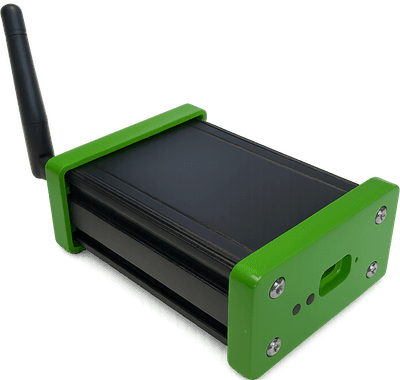
You will need a GNSS receiver and antenna in order to be able to mine rewards. onocoy is hardware-agnostic, meaning it can work with any type of receiver and antenna, provided they meet the technical requirements.

Onocoy does not sell its own hardware. Here are a few recommendations [from our partners](https://onocoy.com/partners):

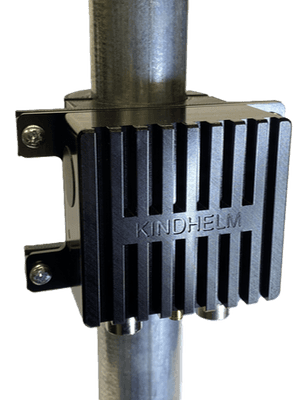
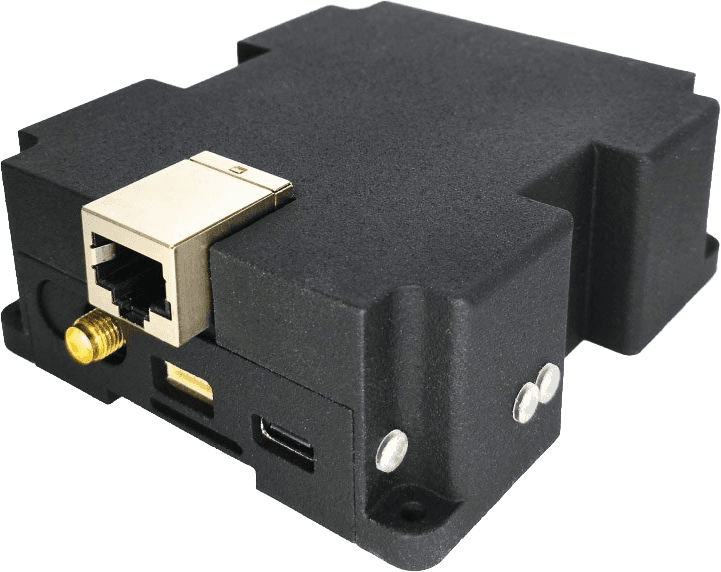
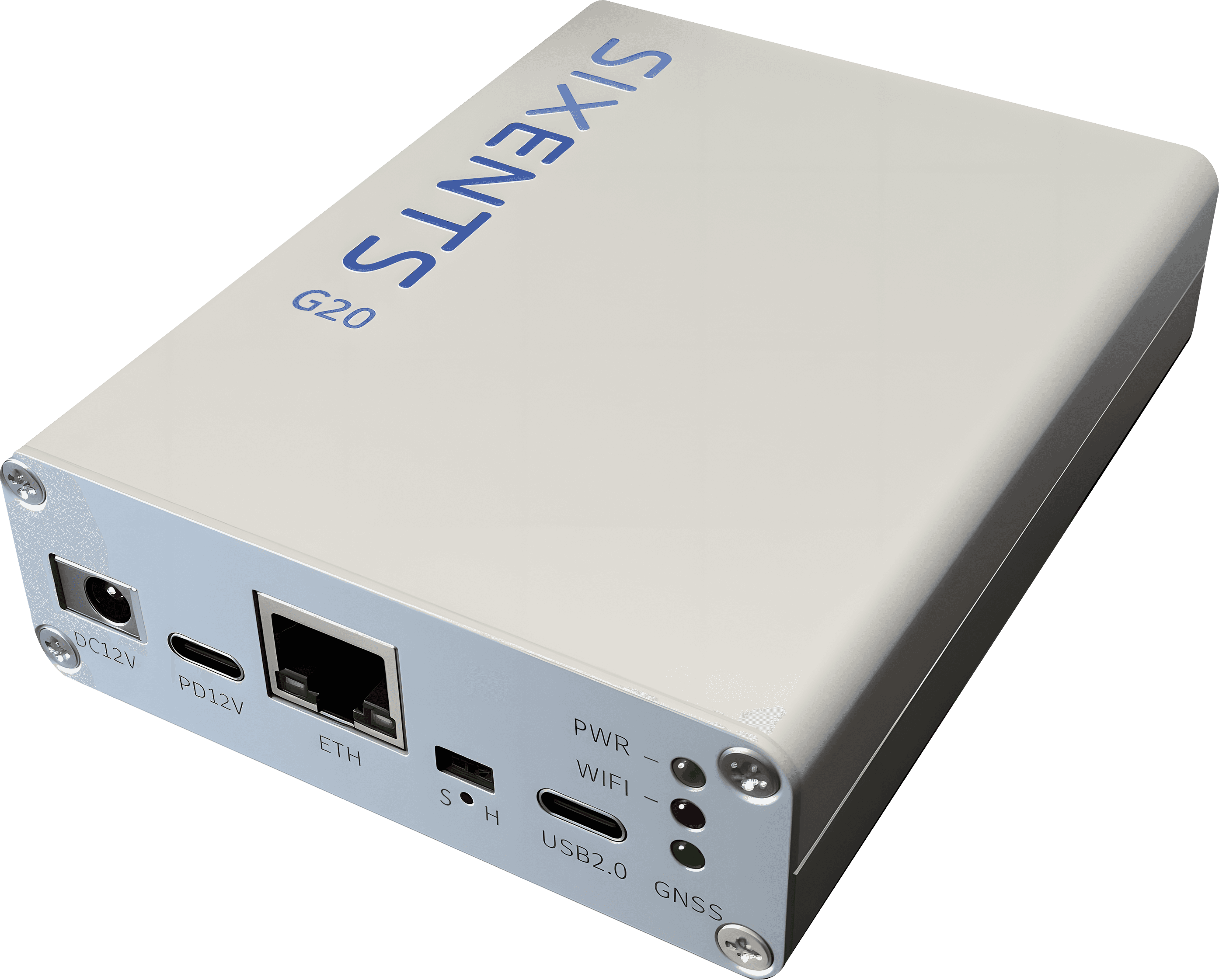
<table data-card-size="large" data-view="cards" data-full-width="true"><thead><tr><th></th><th></th><th></th><th data-hidden></th><th data-hidden data-card-target data-type="content-ref"></th><th data-hidden data-card-cover data-type="image">Cover image</th></tr></thead><tbody><tr><td>GNS Electronics NTRIP-X Basestation Bundle</td><td><ul><li>Based on UniCoreComm UM980</li><li>4 frequencies supported (L1, L2, L5, E6)</li><li>Supports GPS, GLONASS, Galileo, BeiDou, QZSS and NavIC</li><li>Wifi connection</li><li><p>Example installation from vendor:</p><ul><li><a href="https://console.onocoy.com/explorer/info/DEURHIHOH3">DEURHIHOH3</a></li></ul></li></ul></td><td><a href="https://www.gns-electronics.de/product/ntrip-x-basestation-bundle/">Purchase</a></td><td></td><td><a href="https://www.gns-electronics.de/product/ntrip-x-basestation-bundle/">https://www.gns-electronics.de/product/ntrip-x-basestation-bundle/</a></td><td data-object-fit="contain"><a href="https://3173123995-files.gitbook.io/~/files/v0/b/gitbook-x-prod.appspot.com/o/spaces%2FjBN41DfVchs8L33Unu18%2Fuploads%2FojCvPrtIteZRLRt25GzD%2FNtrip-x-300x300_c.png?alt=media&amp;token=34a99623-9fd6-4520-9338-6e8fc399c6d8">Ntrip-x-300x300_c.png</a></td></tr><tr><td>SparkPNT SXM-E Reference Station</td><td><ul><li>Based on Septentrio mosaic-X5</li><li>5 frequencies supported (L1, L2, L5, E6, E5a+E5b)</li><li>Supports GPS, GLONASS, Galileo, BeiDou, QZSS and NavIC</li><li>Wifi or Ethernet connection </li><li><p>Example installation from vendor:</p><ul><li><a href="https://console.onocoy.com/explorer/info/USACOLNIW2">USACOLNIW2</a></li></ul></li></ul></td><td><a href="https://www.sparkfun.com/products/23748">Purchase</a></td><td></td><td><a href="https://www.sparkfun.com/products/23748">https://www.sparkfun.com/products/23748</a></td><td data-object-fit="contain"><a href="https://3173123995-files.gitbook.io/~/files/v0/b/gitbook-x-prod.appspot.com/o/spaces%2FjBN41DfVchs8L33Unu18%2Fuploads%2FzxTY9yXaVHUljLOGivRr%2FRX.png?alt=media&amp;token=13938e6f-a854-4181-9af6-a55f0a0a33f6">RX.png</a></td></tr><tr><td>ArduSimple RTK Base Station </td><td><ul><li>Based on Septentrio mosaic-X5</li><li>5 frequencies supported (L1, L2, L5, E6, E5a+E5b)</li><li>Supports GPS, GLONASS, Galileo, BeiDou, QZSS and NavIC</li><li>Ethernet connection</li><li><p>Example installation from vendor:</p><ul><li><a href="https://console.onocoy.com/explorer/info/ESPZARALF1">ESPZARALF1</a></li></ul></li></ul></td><td><a href="https://www.ardusimple.com/product/rtk-base-station/">Purchase</a></td><td></td><td><a href="https://www.ardusimple.com/product/rtk-base-station/">https://www.ardusimple.com/product/rtk-base-station/</a></td><td><a href="https://3173123995-files.gitbook.io/~/files/v0/b/gitbook-x-prod.appspot.com/o/spaces%2FjBN41DfVchs8L33Unu18%2Fuploads%2FVELZoUWMuYaEHAkvb1Gv%2Fonocoy%20copy.jpeg?alt=media&amp;token=a7726ca8-1714-4f26-840b-39638e793cf8">onocoy copy.jpeg</a></td></tr><tr><td>Locosys GB-104B and GB-10WB </td><td><ul><li>Triple frequency</li><li>Supports GPS, GLONASS, Galileo, BeiDou, QZSS </li><li>Wifi connection (GB-10WB) or LTE connection (GB-104B)</li></ul></td><td><a href="https://www.locosystech.com/en/category/store/store-b2c.html">Purchase Locosys GB-10WB (WF+BT)</a><br><a href="https://www.locosystech.com/en/category/store/store-b2c.html">Purchase Locosys GB-104B (4G+BT)</a></td><td></td><td><a href="https://www.locosystech.com/en/product/GB-10WB.html">https://www.locosystech.com/en/product/GB-10WB.html</a></td><td><a href="https://3173123995-files.gitbook.io/~/files/v0/b/gitbook-x-prod.appspot.com/o/spaces%2FjBN41DfVchs8L33Unu18%2Fuploads%2FLczb5WKReFVtkmI232AP%2FLocosysGB.png?alt=media&amp;token=38ce09a9-207b-452a-b694-ac4c9719c01a">LocosysGB.png</a></td></tr><tr><td>GNSS Store</td><td><p><a href="https://gnss.store/blogs/elt-rtk-base/tagged/2-choosing-a-gnss-base-station#article_1000306278732">This blog article</a> helps you to choose the best receiver from GNSS Store for you. </p><p></p><p>Example installations from vendor:</p><ul><li><a href="https://console.onocoy.com/explorer/info/LVARIGRIG11">LVARIGRIG11</a> (Bynav M20)</li><li><a href="https://console.onocoy.com/explorer/info/LVARIGRIG10">LVARIGRIG10</a> (Unicore UM980)</li><li><a href="https://console.onocoy.com/explorer/info/LVARIGRIG9">LVARIGRIG9</a> (Septentrio Mosaic X5)</li></ul><p>All devices feature</p><ul><li>Wifi connection, optional PoE</li><li>All the different receiver options support GPS, GLONASS, Galileo, BeiDou, QZSS, NavIC</li></ul></td><td><a href="https://gnss.store/products/elt0631">Purchase BYNAV M20</a><br><a href="https://gnss.store/products/elt0231">Purchase Unicore UM980</a><br><a href="https://gnss.store/products/elt0731">Purchase Septentrio Mosaic X5</a></td><td><ul><li>Triple frequency</li><li>Wifi connection, optional PoE  </li><li>Support GPS, GLONASS, Galileo, BeiDou, QZSS, NavIC  </li></ul></td><td><a href="https://gnss.store/collections/onocoy-miners">https://gnss.store/collections/onocoy-miners</a></td><td><a href="https://3173123995-files.gitbook.io/~/files/v0/b/gitbook-x-prod.appspot.com/o/spaces%2FjBN41DfVchs8L33Unu18%2Fuploads%2FRTVGV0nKmvbYZ8vzizOu%2Felt0233.webp?alt=media&amp;token=250f6fc4-88c6-46c3-8cfb-c24d6027144f">elt0233.webp</a></td></tr><tr><td>onoLink Miner</td><td><ul><li><strong>Triple-frequency GNSS receiver</strong> (GPS, GLONASS, Galileo, BeiDou, QZSS, NavIC)</li><li>Equipped with the <strong>advanced Unicore UM980 chip</strong>, offering state-of-the-art GNSS performance for maximum precision and reliability</li><li><strong>Wi-Fi connectivity</strong> for flexible and easy network integration</li><li><strong>Over-the-Air (OTA) firmware updates</strong> ensuring device security, improved performance, and effortless maintenance</li><li>Optimized for seamless integration into professional DePIN setups and high-performance GNSS networks</li><li>Robust hardware designed for continuous, reliable operation in diverse environments</li></ul><p>Example installations from vendor: <a href="https://console.onocoy.com/explorer/info/DEULOWWOL1">DEULOWWOL1</a>,  <a href="https://console.onocoy.com/explorer/info/DEUBADWER1">DEUBADWER1</a></p></td><td><a href="https://onolink.io/product/onolink-miner/">Purchase</a></td><td></td><td><a href="https://onolink.io/product/onolink-miner/">https://onolink.io/product/onolink-miner/</a></td><td><a href="https://3173123995-files.gitbook.io/~/files/v0/b/gitbook-x-prod.appspot.com/o/spaces%2FjBN41DfVchs8L33Unu18%2Fuploads%2F8GqloYphGPOAu38rarDj%2Fonolinkminer.png?alt=media&amp;token=554367db-8041-4ccc-8c09-8b6ebf1ae836">onolinkminer.png</a></td></tr><tr><td>Kindhelm’s LOCANOS Base Station</td><td><p></p><ul><li>4 frequencies supported (L1, L2, L5, E6)</li><li>Supports GPS, GLONASS, Galileo, BeiDou, QZSS and NavIC</li><li>Wired interfaces: Ethernet, USB-C</li><li>Wireless interfaces: Wi-Fi, Bluetooth<br>4G cellular modem (optional)<br>UHF radio modem (optional)</li></ul></td><td><a href="https://shop.kindhelm.com/products/locanos-base-station-lite">Purchase</a></td><td></td><td></td><td data-object-fit="contain"><a href="https://framerusercontent.com/images/7lCLZ2uklrVBP1nMNnzNfXvDmE.png">https://framerusercontent.com/images/7lCLZ2uklrVBP1nMNnzNfXvDmE.png</a></td></tr><tr><td>Kindhelm’s LOCANOS Base Station Fixed</td><td><p></p><ul><li>4 frequencies supported (L1, L2, L5, E6)</li><li>Supports GPS, GLONASS, Galileo, BeiDou, QZSS and NavIC</li><li>Wired interfaces: Ethernet, USB-C</li><li>Wireless interfaces: Wi-Fi, Bluetooth<br>4G cellular modem (optional)<br>UHF radio modem (optional)</li></ul></td><td><a href="https://shop.kindhelm.com/products/locanos-base-station-fixed">Purchase</a></td><td></td><td></td><td data-object-fit="contain"><a href="https://framerusercontent.com/images/M4uSxBDfpedo3AOXI9WRq5WWH3c.png">https://framerusercontent.com/images/M4uSxBDfpedo3AOXI9WRq5WWH3c.png</a></td></tr><tr><td>Autosteer Base Station</td><td><p></p><ul><li>Based on Septentrio mosaic-X5</li><li>5 frequencies supported (L1, L2, L5, E6, E5a+E5b)</li><li>Supports GPS, GLONASS, Galileo, BeiDou, QZSS and NavIC</li><li>Ethernet connection</li></ul></td><td><a href="https://www.autosteer.cc/produkt/onocoy-rtk-base-station-mosaic-x5-high-performance/">Purchase</a></td><td></td><td></td><td data-object-fit="contain"><a href="https://framerusercontent.com/images/ba4cxsNSfE4Ls6iZoeqwF3MIq0.png">https://framerusercontent.com/images/ba4cxsNSfE4Ls6iZoeqwF3MIq0.png</a></td></tr><tr><td>Sixents G20</td><td><p></p><ul><li>4 frequencies supported (L1, L2, L5, E6)</li><li>Supports GPS, GLONASS, Galileo, BeiDou, QZSS and NavIC</li><li>Ethernet connection</li><li>Wifi connection</li></ul></td><td><a href="https://www.qdnavi.com/product/g20/">Purchase</a></td><td></td><td></td><td data-object-fit="contain"><a href="https://framerusercontent.com/images/EcPPUG6MuhnGPxZqqg4XE9l7nME.png">https://framerusercontent.com/images/EcPPUG6MuhnGPxZqqg4XE9l7nME.png</a></td></tr></tbody></table>

Some remarks if you want to DIY or bring your own:

* For maximizing rewards, a triple- or quad band GNSS receiver that supports all of the major constellations (GPS, Galileo, BeiDou and GLONASS) is required.
* GNSS receivers with a lower number of supported frequency bands (e.g. only L1+L2, or L1+L5) will receive rewards, albeit at a lower level than triple/quad band receivers
* A high quality GNSS antenna which supports the receiver’s frequency bands.
* The GNSS receiver should either directly support connection to an Ethernet/Wifi network, or be connected to a host (Raspberry Pi, ESP32, or equivalent) that acts as a bridge.&#x20;
* The receiver must have "NTRIP Server" functionality.
* Please note that GNSS receivers only receive signals, hence, there is no additional electromagnetic transmission originating from operating the receiver.


# Installation guide

<figure><img src="https://3173123995-files.gitbook.io/~/files/v0/b/gitbook-x-prod.appspot.com/o/spaces%2FjBN41DfVchs8L33Unu18%2Fuploads%2Fgit-blob-4d362be463b564d5c34104a1bdad686ed92c18c6%2FJP_ant_cut.png?alt=media" alt=""><figcaption></figcaption></figure>

Now that you have your device, it's time to install it.

### Assemble your station

Follow the station-specific instructions to assemble the receiver and antenna.

Usually, you need to connect the antenna to the receiver with the provided antenna cable, plug in the power cable for the receiver and provide an internet connectivity.

<figure><img src="https://3173123995-files.gitbook.io/~/files/v0/b/gitbook-x-prod.appspot.com/o/spaces%2FjBN41DfVchs8L33Unu18%2Fuploads%2FrWHJ8K4uZDg3SZkvxwlJ%2FSketch%20Installation.jpg?alt=media&amp;token=59f0e22d-5c9b-4954-8b52-40584507c250" alt=""><figcaption></figcaption></figure>

### Where should I mount the antenna?

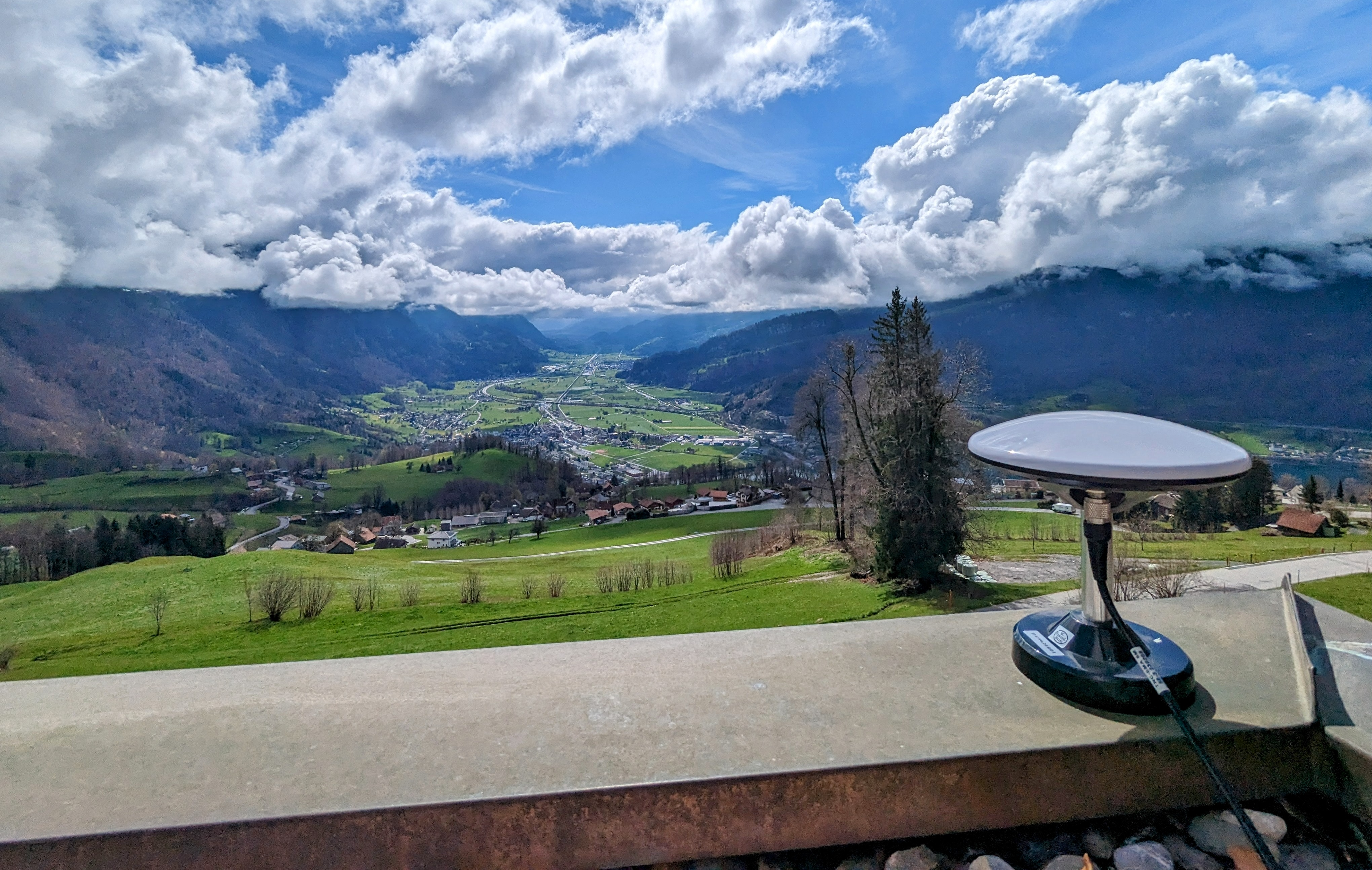
* On a roof! Ideally, the antenna has a 360-degree view of the sky, with no obstructions (buildings, trees, mountains) above an elevation of 10 degrees. This is important to receive optimal rewards.
* A simple way to check this is to make a fist and stretch the arm horizontally. Hold the lower side of the fist in line with the horizon, and the upper side indicates about 10 degrees above the horizon when the arm is held perfectly horizontal.
* Please note that the antenna must be rigidly mounted. Even under heavy weather conditions, it shouldn't move more than 1-2 millimeters. The location of the antenna is continuously monitored by the onocoy validators. If there are too many vibrations or the antenna is moved, rewards will be degraded.

### What about the internet connection?

* You need a stable, permanent connection to the Internet for the receiver.
* The bandwidth requirements are quite low. A well-configured receiver should not require more than around 1 kB/s.
* There is no inbound traffic.
* With typical firewalls, no ports need to be opened, as the connections are established inside-out.


# Create and connect a wallet

A cryptocurrency wallet (or crypto wallet for short) is a tool - software or hardware - that allows you to allows you to store, send, and receive cryptocurrencies like ONOs and others.

A crypto wallet serves the following purposes:

* **Stores your private keys** – these are secret codes that give you access to your cryptocurrency.
* **Manages your public keys and addresses** – used to receive funds from others.
* **Lets you send transactions** – authorizing the movement of your crypto using your private key.

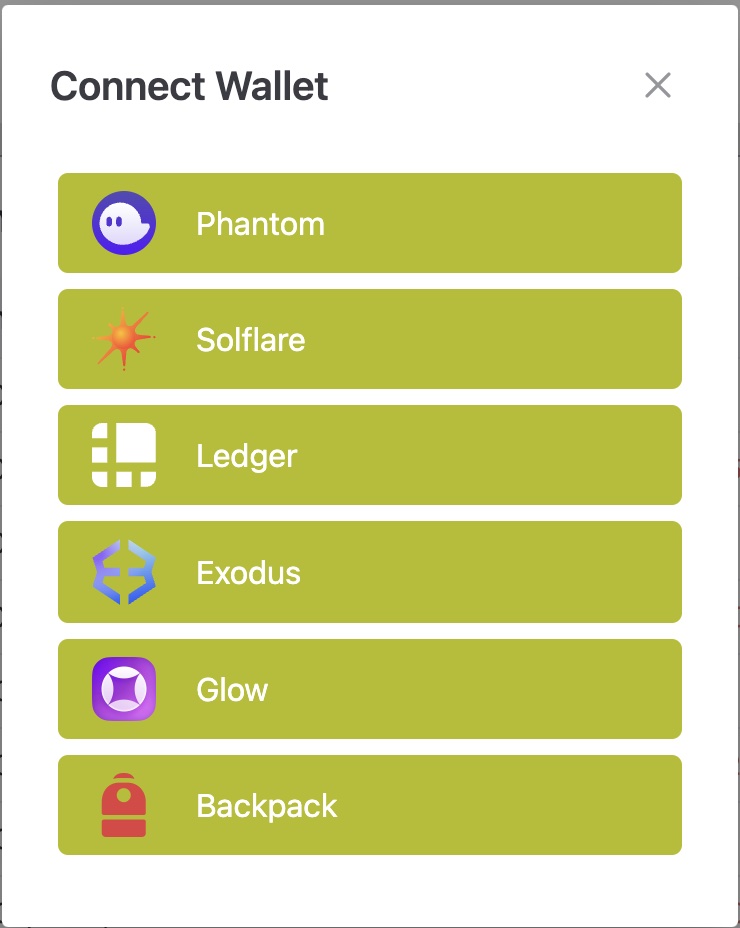
Currently onocoy explorer supports the following crypto wallet types:

<figure><img src="https://3173123995-files.gitbook.io/~/files/v0/b/gitbook-x-prod.appspot.com/o/spaces%2FjBN41DfVchs8L33Unu18%2Fuploads%2Fk0xKm1ZEuBOurQfV3hUJ%2FCaptura%20de%20pantalla%202025-06-04%20143506.png?alt=media&amp;token=63b0b41a-4083-44f0-8888-e28effa09a8a" alt=""><figcaption></figcaption></figure>

To guide you in the process of setting up your first crypto wallet in to onocoy explorer, here you have a tutorial based on Phantom wallet that could be extrapolated to the other wallet types:

{% embed url="<https://www.youtube.com/watch?v=xzWnTAd3OkQ>" %}


# Connect your station to onocoy

Get your station connected to the onocoy system with these easy steps.

### Create an account

Head over to the [explorer](https://console.onocoy.com/explorer), click on *Sign up* and create yourself a user account. You will be notified when your account is activated.

### Create credentials for your station

Go to [Reference Stations](https://console.onocoy.com/servers) and select the tab „NTRIP Credentials“. Click on „Add new credential“. Select a password and add a description about how and where you are using these credentials, if you like. Note: the username will be generated automatically.

Create new credentials for each station that you would like to connect. If you have reached your credential limit, feel free to message us at <support@onocoy.com> telling us your account email address and your plans for expansion.

<figure><img src="https://3173123995-files.gitbook.io/~/files/v0/b/gitbook-x-prod.appspot.com/o/spaces%2FjBN41DfVchs8L33Unu18%2Fuploads%2FrZpHbxgasVqfloBgc0M4%2Fimage.png?alt=media&amp;token=f8aec4ab-2d8e-4263-a8a2-9ac9e80ac47b" alt=""><figcaption><p>Add a credential in the "NTRIP Credentials" tab</p></figcaption></figure>

### Head back to your receiver firmware

On the receiver side, make sure to follow these steps:

**Enable NTRIP server functionality for NTRIP 2.0 devices** *(see instructions **NTRIP 1.0** below)*

* Configure the NTRIP caster to point to&#x20;
  * **servers.onocoy.com**&#x20;
  * **port 2101**
* For the mountpoint name, you can choose any alphanumeric text you like. This is only informative and will show up in your dashboard, not publicly. It will also help you identify which server device is which.
* For username and password, enter the credentials for your device as created in [Step 2](#create-credentials-for-your-device).

**Enable the right NTRIP messages**

* Enable RTCM3, MSM Messages 1005, 1033, 1077, 1087, 1097, 1117, 1127, 1137 and 1230 in the reference station receiver.
  * onocoy supports MSM4/5/6/7 messages
* Activate them to be sent out at 1Hz rate (except for message 1005, which can be configured for a much lower rate, for example once every 30 seconds).
* Enable all GNSS constellations and bands the receiver supports. Typically, receivers are preconfigured to this already.

**NTRIP 1.0 devices**

* For NTRIP 1.0-only devices (for example ESP32 XBee based units), please enter the NTRIP username as *MOUNTPOINT* and password into the password field. Leave the device's username field, if any, empty.

### You are good to go!

Go back to the explorer. After one minute you should see a new entry under [NTRIP Servers](https://console.onocoy.com/servers) and its location on the map. You should also see live operational parameters of the station you just have configured.


# Receive rewards

### Connect your Wallet

In order to receive rewards, you need to connect your wallet to onocoy. Head to the top right of your browser and click on *Connect Wallet.* A window will open to show you your wallet options.

<figure><img src="https://3173123995-files.gitbook.io/~/files/v0/b/gitbook-x-prod.appspot.com/o/spaces%2FjBN41DfVchs8L33Unu18%2Fuploads%2Fgit-blob-f5764d736a4df71fab89514c01f90c2905c91c4e%2FWallet%20Choices%2006-23.jpg?alt=media" alt="" width="370"><figcaption><p>Available wallet options</p></figcaption></figure>

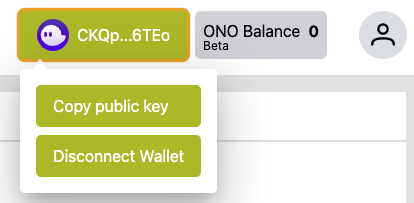
Choose your wallet and it will guide you through the connection process. After you connected successfully, the wallet logo will show up in the upper right corner. Click on your wallet to copy the public key or to disconnect.

<figure><img src="https://3173123995-files.gitbook.io/~/files/v0/b/gitbook-x-prod.appspot.com/o/spaces%2FjBN41DfVchs8L33Unu18%2Fuploads%2Fgit-blob-9620e7f16c3fc33774ebeabc28cc7b0b0ed942f0%2FWallet%20connected.png?alt=media" alt=""><figcaption></figcaption></figure>

If you don't have a wallet yet, watch our YouTube video on how to create and connect a Phantom wallet to onocoy.

{% embed url="<https://www.youtube.com/watch?t=161s&v=xzWnTAd3OkQ>" %}

### Data Validation

After you have connected your station to the onocoy network, your data stream will first go into the [Data Validation](/documentation/3.-become-a-miner/data-validation) process. Please note that it may take 24-36 hours to validate, as the validator performs initial tests on the data you are providing in order to determine the quality. This will show up in the explorer as the validation status.

### Register your stream

Finally, you need to **register your stream** in the NTRIP Credentials tab. This will only be possible after your station has been successfully validated.

Click the Register button to link the stream to your wallet.

A pop-up will confirm you have successfully registered the stream on the blockchain to receive rewards.

<figure><img src="https://3173123995-files.gitbook.io/~/files/v0/b/gitbook-x-prod.appspot.com/o/spaces%2FjBN41DfVchs8L33Unu18%2Fuploads%2FFXQ9KRqZ0Wtmjy1ZIyJJ%2Fimage.png?alt=media&amp;token=0b107c85-0ab7-4ad0-9f68-2b3dffd7b7f3" alt=""><figcaption><p>Click the "Register" button to link the stream to your wallet.</p></figcaption></figure>

### Claim rewards

As soon as your station is validated and registered, you are ready to receive rewards! The rewards will come in the form of [Ono Token](broken://pages/bKzYkV4m7FfIQ28IoiOk). Be aware that the rewards come in with a 24 hour delay, as we recalculate your reward scale every day. This means that the incoming rewards are for the previous day's data.

Once available, you can claim your incoming rewards. This is done by clicking the *Claim Rewards* button in your NTRIP server list. You will have to manually claim them whenever you would like to see them in your connected wallet. How often you claim them is completely up to you. You have to make sure that you have at least a very small amount of SOL in your wallet in order to claim your BONO tokens.

<figure><img src="https://3173123995-files.gitbook.io/~/files/v0/b/gitbook-x-prod.appspot.com/o/spaces%2FjBN41DfVchs8L33Unu18%2Fuploads%2FdK8haeRORcS1mD15C0h3%2FClaimRewards.png?alt=media&amp;token=07e3ac26-5c3b-4ed6-b8de-f1fd689b389e" alt=""><figcaption><p>Click the "Claim rewards" button to transfer your earned tokens to your wallet.</p></figcaption></figure>

Check your wallet balance once you claimed your rewards. You can review your current balance in the upper right corner of the console.


# Data Validation

### What is the data validation?

Your stream has to pass the validation process in order for you to earn tokens. This process includes

* check of data input
* determine validated location

The process might take 24-36 hours to complete.

### What if my station does not get validated?

If your station is not validated even after 36 hours, please check your station. Your data might be too weak to perform the validation process.

* Check the visibility of the antenna. Choose a different antenna location if possible.
* Check your network connection. Has your stream been interrupted since the start?
* Join our Discord to ask for support.


# Explorer

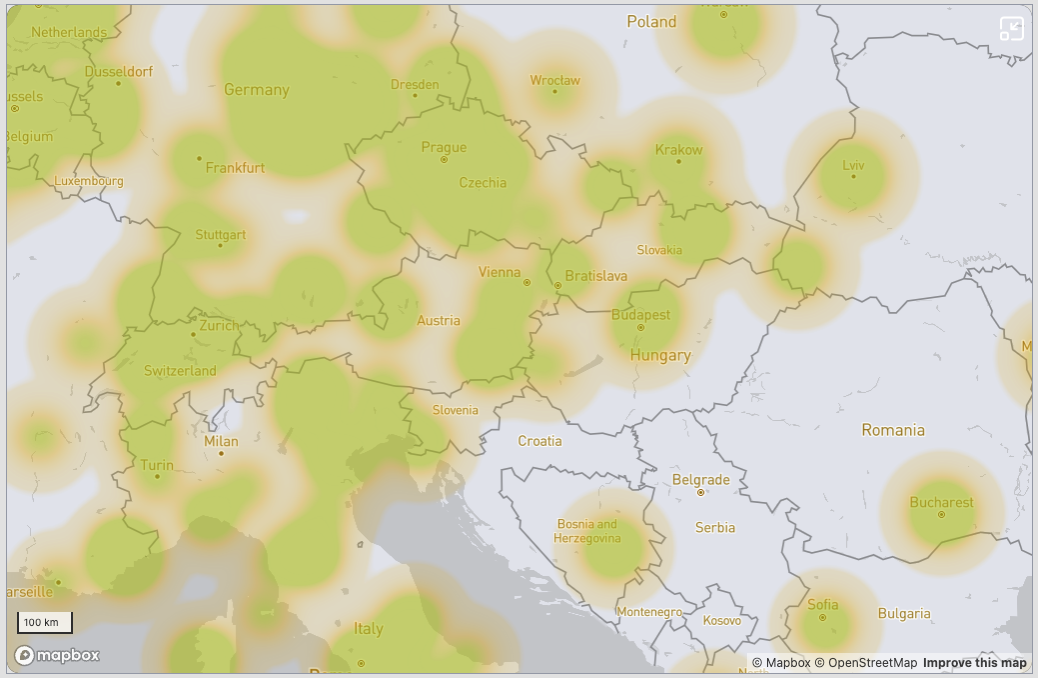
<figure><img src="https://3173123995-files.gitbook.io/~/files/v0/b/gitbook-x-prod.appspot.com/o/spaces%2FjBN41DfVchs8L33Unu18%2Fuploads%2Fgit-blob-3f9b74ddfad28713500914f8a190e81868ad5a7b%2Fimage.png?alt=media" alt=""><figcaption><p>The heatmap shows which areas are well covered to receive GNSS correction data.</p></figcaption></figure>

The [explorer](https://console.onocoy.com/explorer) is a tool to discover the coverage of onocoy's GNSS corrections. It is very useful for miners and clients equally.

Open the explorer and you will find a map of the earth with a heatmap on where to find coverage. Zoom in and out to inspect your different areas of interest.

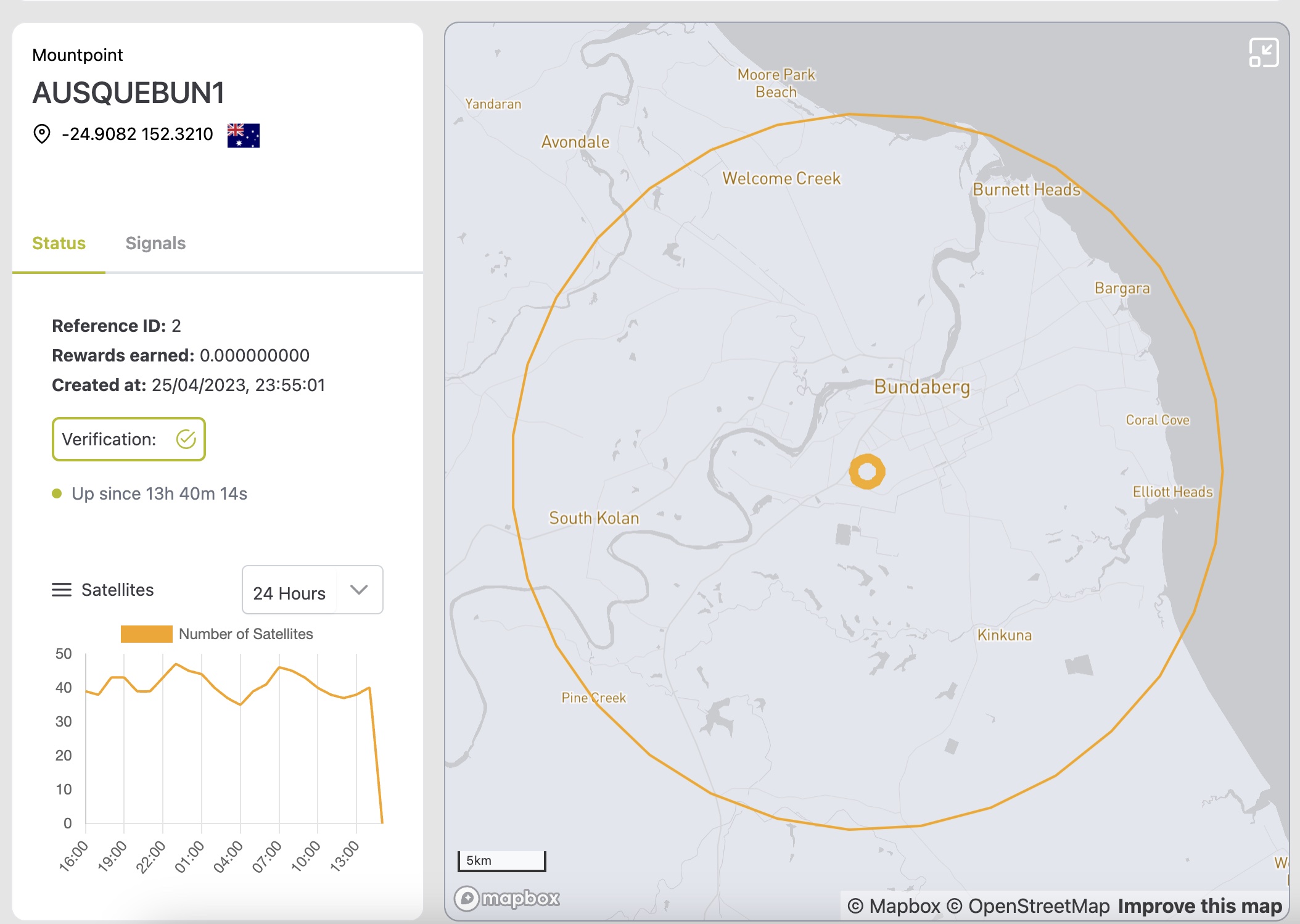
If you zoom in enough, you can click on a specific miner. You will see more detailed information about the station.

<figure><img src="https://3173123995-files.gitbook.io/~/files/v0/b/gitbook-x-prod.appspot.com/o/spaces%2FjBN41DfVchs8L33Unu18%2Fuploads%2Fgit-blob-826b3be1129ad3b7d5567b1b73ce2c9bf9c3109e%2FExplorer%20Screenshot%206-23.jpg?alt=media" alt=""><figcaption></figcaption></figure>

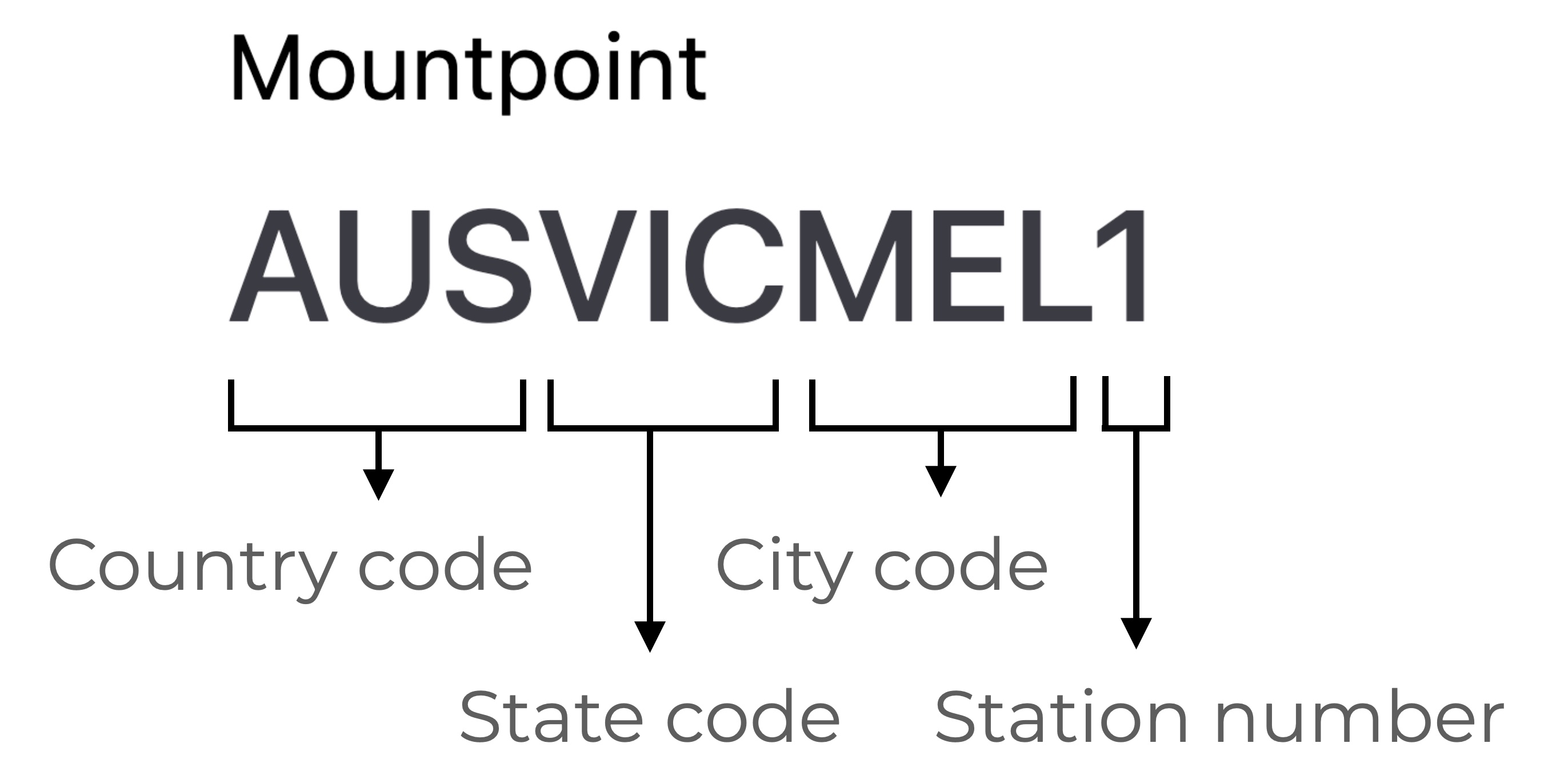
* **Mountpoint:** unique name of the station. It consists of the following name parts:

<figure><img src="https://3173123995-files.gitbook.io/~/files/v0/b/gitbook-x-prod.appspot.com/o/spaces%2FjBN41DfVchs8L33Unu18%2Fuploads%2Fgit-blob-702d3c683a5d4057f19b1dbf48d450154c482a85%2FMountpoint%20explanation%20MVP.jpg?alt=media" alt="" width="375"><figcaption><p>Mountpoint name explanation</p></figcaption></figure>

* **Location:** An approximate location of the station that has been validated. The format is in latitude, longitude. A flag indicates the country of the station. Learn about why we don't show the exact location [here](https://docs.onocoy.com/documentation/pages/s10y3x72u38cw8MRRVvq#i-have-privacy-concerns.-is-the-precise-location-of-my-device-antenna-disclosed).
* **Rewards earned:** Total number of rewards for this station since setup. Only applicable if the station owner has registered it on the stream.
* **Created at:** First timestamp of the station being online.
* **Validation:** Status of the validation procedure. If the station has a checkmark, it means it passed the [Data Validation](/documentation/3.-become-a-miner/data-validation) process.
* **Up since:** Time the station has continuously been online without interruption.

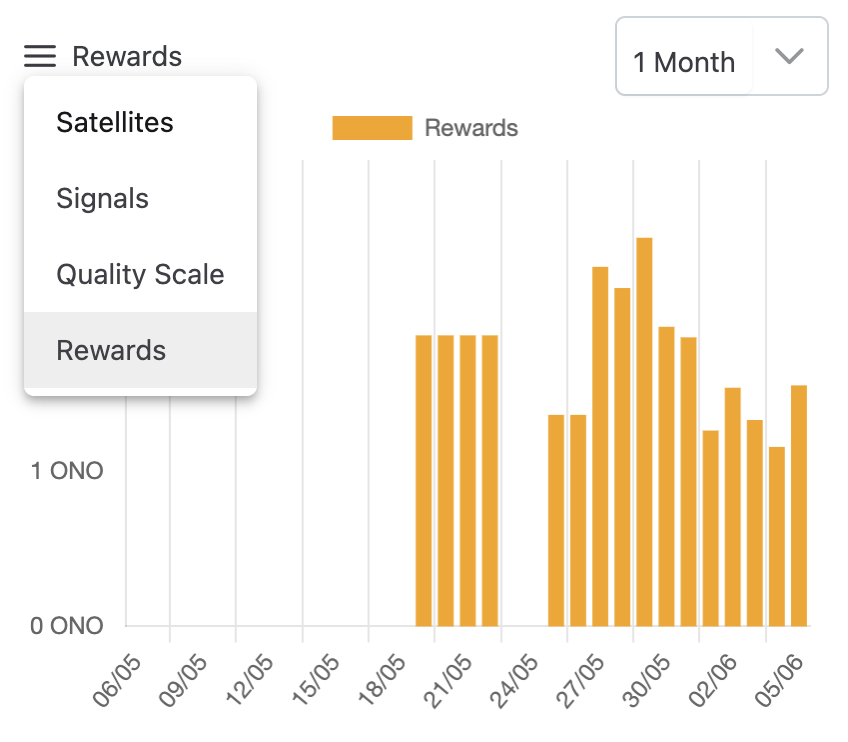
On the bottom of the page, choose a graph from the following:

* **Satellites:** Total number of satellites tracked on average for the given timeframe.
* **Signals:** Total number of signals provided. Find more information about GNSS signals in the [signals section](broken://pages/nQnjcRN2tebiYNff03Gl#what-signals-does-gnss-provide) of [What is GNSS?](broken://pages/nQnjcRN2tebiYNff03Gl).
* **Quality scale:** Percentage of the station's reward based on the signals, their quality and on the location of the station.
* **Rewards:** Estimated rewards earned per day.

<figure><img src="https://3173123995-files.gitbook.io/~/files/v0/b/gitbook-x-prod.appspot.com/o/spaces%2FjBN41DfVchs8L33Unu18%2Fuploads%2Fgit-blob-5af6e70bffafc695c77ccf24c57c58d4b6cc20f9%2Fimage.png?alt=media" alt="" width="375"><figcaption><p>Click on the 3 bars on the left to choose a chart.</p></figcaption></figure>

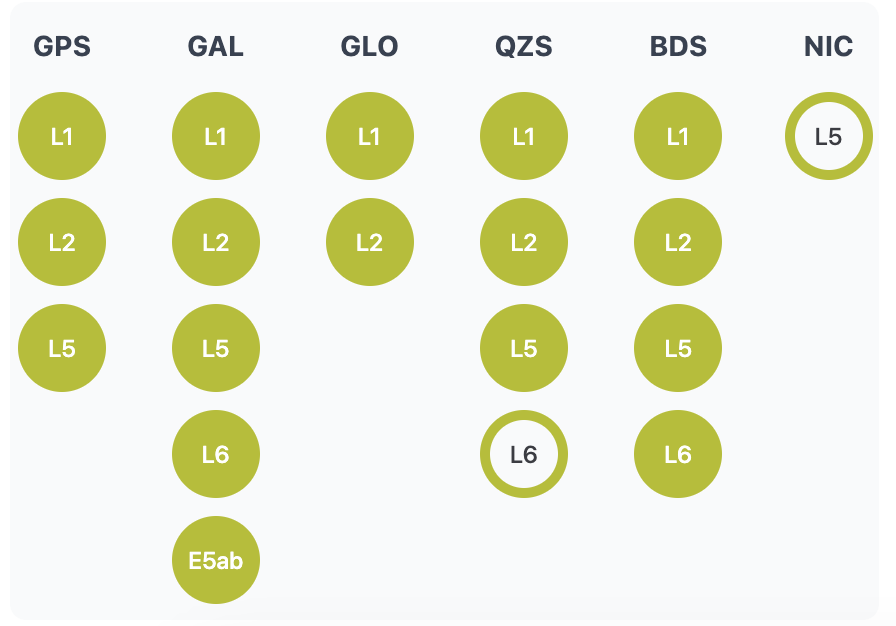
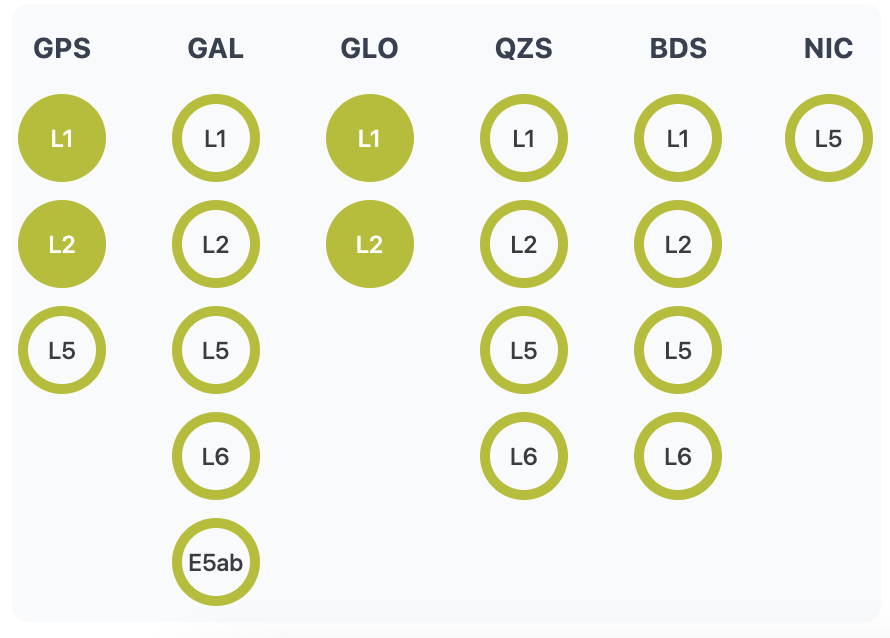
Select the tab *Signals* to see which satellite constellations and frequencies the station is tracking.

<div><figure><img src="https://3173123995-files.gitbook.io/~/files/v0/b/gitbook-x-prod.appspot.com/o/spaces%2FjBN41DfVchs8L33Unu18%2Fuploads%2Fgit-blob-f7d1a917afce0f18091d345a40654f6817f49a4f%2Fimage.png?alt=media" alt=""><figcaption><p>Example for a station with a high number of signals</p></figcaption></figure> <figure><img src="https://3173123995-files.gitbook.io/~/files/v0/b/gitbook-x-prod.appspot.com/o/spaces%2FjBN41DfVchs8L33Unu18%2Fuploads%2Fgit-blob-cf16f12acdc99edd59e136bd14aba1d75daa7577%2Fimage.png?alt=media" alt=""><figcaption><p>Example for a station with a low number of signals</p></figcaption></figure></div>

* **Constellations:** Provided GNSS constellations. Check out the codes for the different constellations in the panel [What is GNSS?](broken://pages/nQnjcRN2tebiYNff03Gl).
* **Frequencies:** If a frequency is tracked by the receiver, it is marked with a filled circle. For more info on signals, check out the signal section in the panel [What is GNSS?](broken://pages/nQnjcRN2tebiYNff03Gl#why-does-gnss-have-multiple-signals).


# Sky Map

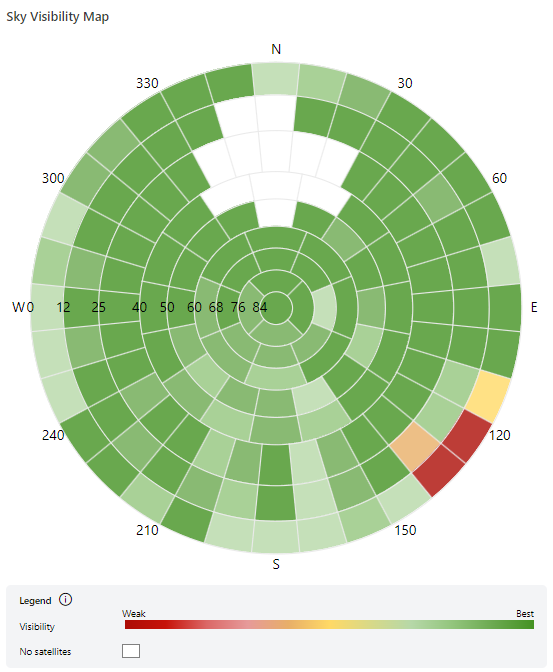
The Sky Visibility Map provides a historical representation of the visibility of the GNSS satellites of a given reference station across the sky in the previous 24 hours.

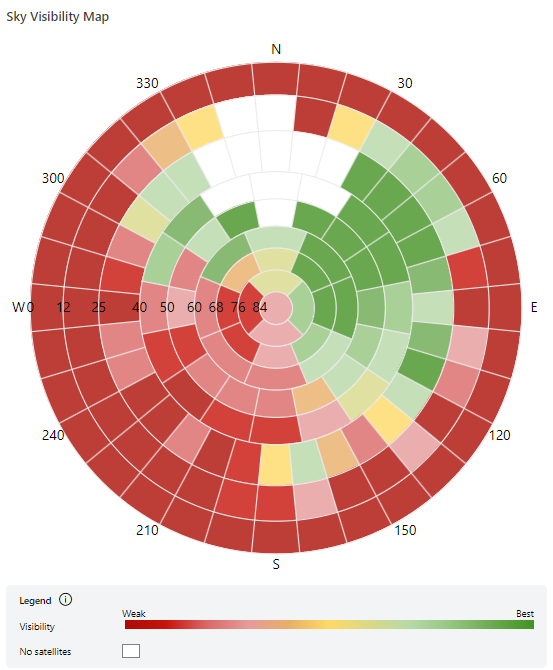
The Sky Visibility Map color coding indicates how good the satellite observation is within a given sky sector. Shades of green indicate a reasonably good / ideal visibility, shades of yellow indicate less optimal visibility and shades of red indicate sub optimal visibility, which can indicate sky obstructions caused by buildings, trees, mountains, etc. in the vicinity.

Plain white sectors are areas where no satellites were observed nor expected at all. It is normal to have an area in the sky where no satellite signals are received. That area is called polar hole and it exists because GNSS orbits do not cover Earth's poles, leaving a blank area in the Northern part of the sky in the northern Earth hemisphere or a blank area in the southern part of the sky in the southern Earth hemisphere.

The visibility is calculated based on how many satellites were visible in a given sector vs. how many satellites were expected to be visible in that sector (i.e. when a satellite is known to be there but the station did not observe it).

The map is split into 149 sectors which are spread across 9 elevation ranges from horizon (0°) to zenith (+90°) and can help to identify areas where the sky is obstructed.

Here's an example of a station with good visibility. The only bad visibility is in low elevations of the Southeast for a patch of the sky where a building obstructs the sky. Note that the white areas in the north region are expected for stations on the northern hemisphere.

<figure><img src="https://3173123995-files.gitbook.io/~/files/v0/b/gitbook-x-prod.appspot.com/o/spaces%2FjBN41DfVchs8L33Unu18%2Fuploads%2Fgit-blob-82ebef82201197adf422a60262d47cd09bc4bff2%2Fskymap_updated.png?alt=media" alt="" width="415"><figcaption><p>Station has good visibility all over except for a patch in the SE, at lower elevation<br>where a building is known to be blocking the sky.</p></figcaption></figure>

On the other hand, here is an example of a station placed on a window sill. Half the sky is completely blocked by the building where the antenna is located while the other half has somewhat acceptable reception (with low elevation satellite tracking being bad across the whole horizon):

<figure><img src="https://3173123995-files.gitbook.io/~/files/v0/b/gitbook-x-prod.appspot.com/o/spaces%2FjBN41DfVchs8L33Unu18%2Fuploads%2Fgit-blob-275b88b927c8d3f806bfa84a0b3fce3c088fb559%2Fskymap_bad_updated.png?alt=media" alt="" width="415"><figcaption><p>Station placed on a window sill showing bad sky visibility.</p></figcaption></figure>

With the help of the sky map, you can identify obstructions at your antenna location. If possible, you can then improve the satellite signal reception by changing the environment. &#x20;


# Activity timeline

The activity timeline shows events that can affect your station's GNSS signal quality and latency displayed from oldest to latest from left to right respectively. The main intention in displaying a timeline with events, connectivity and the key performance plots is to help the miner to easily analyse what is happening with the owned stations in a glimpse

<figure><img src="https://3173123995-files.gitbook.io/~/files/v0/b/gitbook-x-prod.appspot.com/o/spaces%2FjBN41DfVchs8L33Unu18%2Fuploads%2FudyKpG8i3g7DyhVFiVni%2Fimage.png?alt=media&amp;token=a7ba916b-85eb-4a5f-9079-9dd1fab78295" alt=""><figcaption></figcaption></figure>

### Use the timeline

Select a time range in the upper-right corner: 24 hours, 7 days, or 30 days.

Use the summary in the upper-left corner to enable or disable event categories:

* Jamming
* Motion
* Latency

### Read the data

The main timeline shows individual events and events occurring in close succession. Colored boxes identify each event category. Use the legend in the upper-left corner to interpret them.

The connectivity bar below the timeline shows when the station connected to or disconnected from the Onocoy NTRIP caster. It displays only the last 14 days of data, even when you select the 30-day range.

Select a plot at the bottom of the timeline to view:

* Satellite count
* Sky visibility percentage
* Cycle slip rate
* Code and phase RMS values
* Packet latency

Click on the relevant events to easily establish relationships between the events, the connectivity bar and the plot at the bottom.


# Live View

### What the Live view shows <a href="#what-the-live-view-shows" id="what-the-live-view-shows"></a>

The Live view is a real-time health check of your reference station: if most numbers sit in the "healthy" ranges below, your station is doing its job. It refreshes continuously while the window is open, and the green **Live** badge in the top-right corner shows how long you have been watching (for example, Live · 4:05).

Use the Live view when you first install a station, after moving or adjusting the antenna, or when your Quality score drops and you want to find out why.

<figure><img src="https://3173123995-files.gitbook.io/~/files/v0/b/gitbook-x-prod.appspot.com/o/spaces%2FjBN41DfVchs8L33Unu18%2Fuploads%2FHJzVyLORpYY9U3ioq4bX%2Fimage.png?alt=media&amp;token=c4de43da-3efc-4ef8-b077-1d670790f38a" alt=""><figcaption></figcaption></figure>

### Summary tiles <a href="#summary-tiles" id="summary-tiles"></a>

The eight tiles at the top give you the station's vital signs at a glance. The "healthy" column gives typical values for a well-installed station; they are rules of thumb, not official reward thresholds.

<table data-header-hidden><thead><tr><th width="168"></th><th></th></tr></thead><tbody><tr><td>Tile</td><td>What it means in plain words</td></tr><tr><td>Satellites</td><td>How many satellites your station is tracking right now. More satellites means more reliable data.</td></tr><tr><td>Signals</td><td>Total number of signals received. Modern satellites broadcast on several frequencies at once, so one satellite can provide 2 to 4 signals.</td></tr><tr><td>Latency (s)</td><td>Delay, in seconds, between the station taking a measurement and the network receiving it. Lower is better.</td></tr><tr><td>Mean C/N0 (dBHz)</td><td>Average signal strength across all satellites (C/N0 means "carrier-to-noise", i.e. how loud the signal is compared to background noise).</td></tr><tr><td>Code RMS (m)</td><td>How much the code (pseudorange) measurements scatter. These are the coarser, metre-level distance measurements to each satellite. Multipath (signals bouncing off walls, roofs or the ground before reaching the antenna) is the main cause of high values; weak signals and interference also raise it. Lower is better.</td></tr><tr><td>Phase RMS (m)</td><td>How much the carrier-phase measurements scatter. These are the millimetre-level distance measurements that make centimetre positioning possible, so this tile matters most for data quality. It rises with multipath, low signal strength and brief signal interruptions. Lower is better.</td></tr><tr><td>Clock drift (ppm)</td><td>How fast the receiver's internal clock is running too fast or too slow, in parts per million. Values close to zero are normal.</td></tr><tr><td>Clock bias (µs)</td><td>How far the receiver clock is offset from satellite time, in microseconds. A dash (–) means the value is not reported by your receiver, which is not a problem.</td></tr></tbody></table>

You rarely need to act on the clock tiles. Focus on Satellites, Mean C/N0 and Latency first: they reveal most installation problems.

### Signal level panel <a href="#signal-level-panel" id="signal-level-panel"></a>

<figure><img src="https://3173123995-files.gitbook.io/~/files/v0/b/gitbook-x-prod.appspot.com/o/spaces%2FjBN41DfVchs8L33Unu18%2Fuploads%2FVCBqQAXfakjHFX5Awxyv%2Fimage.png?alt=media&amp;token=1446ea2d-7765-4b53-a3e0-6385a60f3d70" alt=""><figcaption></figcaption></figure>

This panel shows how strong your signals are on each frequency band, averaged over all satellites. Longer bars are better; bars of similar length across bands mean a healthy, balanced setup.

The scale runs from 25 to 55 dBHz. As a rough guide, values above 40 dBHz are good, 35 to 40 dBHz are acceptable, and values that stay below 35 dBHz suggest a problem such as a poor antenna location, a damaged cable or nearby interference.

It is normal for L1 to be slightly stronger than the other bands. Be concerned only if one band is much weaker than the rest, or missing entirely when your receiver should support it.

### Constellation table <a href="#constellation-table" id="constellation-table"></a>

<figure><img src="https://3173123995-files.gitbook.io/~/files/v0/b/gitbook-x-prod.appspot.com/o/spaces%2FjBN41DfVchs8L33Unu18%2Fuploads%2FtZEXCp5SAjg7RrSgd3iD%2Fimage.png?alt=media&amp;token=1458e58c-42d0-4fc7-8c48-a14f1ef72405" alt=""><figcaption></figcaption></figure>

The table below the bars breaks your satellites down by satellite system and band, so you can see that your station receives all four major systems. A station that tracks all four is more reliable and more valuable to the network.

How to read a row: the **Satellites** column is how many satellites of that system are tracked; the band columns (L1, L2, L5, E5ab, L6) show how many signals are received on each band. A dash (–) means that system does not broadcast on that band, or your receiver does not track it. For example, GLONASS does not use L5, so a dash there is expected.

A signal count can be higher than the satellite count. In the example, BeiDou has 6 satellites but 11 L1 signals, because some BeiDou satellites send two signals within the same band.

### Sky view <a href="#sky-view" id="sky-view"></a>

<figure><img src="https://3173123995-files.gitbook.io/~/files/v0/b/gitbook-x-prod.appspot.com/o/spaces%2FjBN41DfVchs8L33Unu18%2Fuploads%2F25JmFWcqfgiF0lLpKcdL%2Fimage.png?alt=media&amp;token=07880916-b0b4-476d-9376-dfc9606bfc3e" alt=""><figcaption></figcaption></figure>

The Sky view shows where the satellites your station is tracking right now are, relative to your antenna, and how strong each signal is. It is a live snapshot: only satellites currently in view appear.

For a longer-term picture, use the **Sky map** page. It builds up sky visibility across the whole sky over a 24 hour period. Use the Sky view to check what is happening now, and the Sky map to confirm a pattern.

Imagine lying on your back next to the antenna and looking straight up:

* **The centre** of the circle is directly overhead.
* **The outer edge** is the horizon.
* **The rings** mark the height above the horizon (elevation): the 30° ring is low in the sky, the 60° ring is high.
* **The letters and numbers around the edge** are compass directions: N (north) at the top, E (east) on the right, S (south) at the bottom, W (west) on the left. The numbers (30, 60, 120…) are bearings in degrees.

Each circle is one satellite. Its label combines the constellation letter (G GPS, R GLONASS, E Galileo, C BeiDou) and the satellite number, so **G20** is GPS satellite 20 and **E05** is Galileo satellite 5. The colour shows the signal strength, using the C/N0 scale on the right:

* **Yellow-green**: strong signal (around 40 to 45 dBHz). This is what you want.
* **Orange**: weaker signal, often from satellites low on the horizon.
* **Purple to grey**: very weak.
* **Dark grey or black**: the satellite is in the sky but your station is receiving little or no usable signal from it.

**What to look for.** Satellites near the edge are naturally weaker because their signal travels through more atmosphere, so some orange and dark markers low on the horizon are normal. Be concerned when a whole section of the sky is dark, even at higher elevations. That usually means something is blocking the view in that direction: walk to the antenna, face that compass direction and look for a wall, roof, tree or other obstruction. In the example, many dark markers cluster in the west and north-west, which suggests checking that side of the installation.

### Antenna position and velocity <a href="#antenna-position-and-velocity" id="antenna-position-and-velocity"></a>

These two panels confirm that your antenna is standing still. A reference station must never move, because the whole network relies on its position being fixed and known.

Both panels show a top-down circle (north, east, south, west) and a vertical scale for up and down (U).

The antenna position plot is a gross indicator of movement whilst the antenna position plot is a fine movement indicator

#### Antenna position <a href="#antenna-position" id="antenna-position"></a>

<figure><img src="https://3173123995-files.gitbook.io/~/files/v0/b/gitbook-x-prod.appspot.com/o/spaces%2FjBN41DfVchs8L33Unu18%2Fuploads%2FYdjNUf4X39ZJSGhZCWip%2Fimage.png?alt=media&amp;token=6437806a-3860-4eeb-80c9-17dc668b1f69" alt=""><figcaption></figcaption></figure>

The dot shows how far the position your station calculates in real time is from its registered position, in metres, and the faint trail behind it shows recent movement.

This position uses satellites alone, without corrections, so wandering by a metre or two is normal. Watch for a jump that does not come back, or a steady drift in one direction: that can mean the mount has shifted.

#### Antenna velocity <a href="#antenna-velocity" id="antenna-velocity"></a>

<figure><img src="https://3173123995-files.gitbook.io/~/files/v0/b/gitbook-x-prod.appspot.com/o/spaces%2FjBN41DfVchs8L33Unu18%2Fuploads%2FkzqChF1wxURPeInREehw%2Fimage.png?alt=media&amp;token=99456159-f1e4-4bfa-997a-f845beac1016" alt=""><figcaption></figcaption></figure>

The dot shows how fast the calculated position is changing, in mm/s, and should sit at or near the centre. Regular large values point to a loose or swaying mount, or vibration.


# onocoyRTK or onocoySTREAM – which one to choose

onocoy offers two types of GNSS data services. Pick the one that fits your needs.

#### Choose onocoyRTK if you...

* **Operate a high-precision device:** You need standard RTK correction data for a rover (like a drone, tractor, or survey tool).
* **Need "Nearby Mode" access:** You want the system to automatically provide corrections based on the base stations closest to your current location.
* **Prioritize cost-efficiency:** You want to benefit from the most affordable entry-level pricing ($20/month) for standard high-precision needs.

#### Choose onocoySTREAM if you...

* **Are a professional RTK provider:** You want to offer your own GNSS correction based service around the streams sourced from onocoy.
* **Need direct mountpoint access:** You want the freedom to manually select and stream from any specific base station in the global network, regardless of where you are located.
* **Require multiple simultaneous feeds:** You need to run an unlimited number of parallel streams at once (perfect for monitoring multiple sites or complex projects).
* **Need advanced data & metadata:** You require full access to all station metadata via the Public API for deeper analysis or system integration.

Are a high-volume user: You want to take advantage of Volume Pricing to lower costs for large-scale data consumption.


# Getting data credits

You would like to receive onocoy's data via NTRIP? Great! Here is how it works.

### **Create an account**

To use our services, you must have an onocoy account.\
If you don't already have one, head over to the [onocoy explorer](https://console.onocoy.com/explorer), click on ***Register now*** and create a user account. You will be notified by email when your account is activated.

### Top up your Data Credits

Data Credits (DC) are the way of payment at onocoy. In order to access the services, you must first purchase Data Credits through your account.&#x20;

To receive GNSS correction data from onocoy, you first have to Top Up your Data Credits for the first time. Go to NTRIP Clients and click on ***Get Data Credits**,* the following pop-up window will open.<br>

<div data-with-frame="true"><img src="https://3173123995-files.gitbook.io/~/files/v0/b/gitbook-x-prod.appspot.com/o/spaces%2FjBN41DfVchs8L33Unu18%2Fuploads%2F7XN8kqjPgbSf6zX0EZpn%2Funknown.png?alt=media&amp;token=0c42fb33-90ce-45ae-8703-57267738f16d" alt="Buy data credits by choosing the desired amount."></div>

Select the amount you would like to top up your account with. Next, insert your credit card and billing information. If you have a coupon code, you can apply it in this step.&#x20;

![](https://3173123995-files.gitbook.io/~/files/v0/b/gitbook-x-prod.appspot.com/o/spaces%2FjBN41DfVchs8L33Unu18%2Fuploads%2FKes43RpfjJMOw9g3s6LH%2Funknown.png?alt=media\&token=f3dc5bc1-01c6-4748-9447-4a3cab51364b)

After checkout, you will see in the top right corner your updated Data Credit amount.

If you would like to see your payment and invoice history, click on your account email in the top right of the header, select **Settings** and choose the **Billing** tab. Open the **Billing Dashboard** to receive access to your invoices and payment methods.&#x20;

### How many Data Credits do I need? — Our data plans

Which amount to top up? Here is how our price plan works.

Fees are deducted in credits from your account and consist of:

* **Base subscription fee.** The recurring fee is deducted in advance every 30 days, plus &#x20;
* **Pay-per-use fee.** Deducted in real-time and for the time you actually will use the Services ("Pay-per-use").&#x20;

![onocoy price plan. 1 DC is equivalent to 1 USD.](https://3173123995-files.gitbook.io/~/files/v0/b/gitbook-x-prod.appspot.com/o/spaces%2FjBN41DfVchs8L33Unu18%2Fuploads%2FrOvEQyF74p536OER1BkL%2Funknown.png?alt=media\&token=b5e9b2e3-6591-4a99-ac51-86dc884196e0)

We offer two different services:

* **onocoyRTK**
* **onocoyStream**

The base subscription fee for the **onocoyRTK** service for the 30 days data plan is 20 Data Credits. In addition, every hour of GNSS correction data is 0.15 Data Credits. This is the pay-per-use fee. Hence, 25 Data Credits would be enough for one month of subscription plus more than 30 hours of GNSS correction data in that month. Please note that a refund of Data Credits is not possible.

The base subscription fee for the **onocoySTREAM** service for the 30 days data plan is 100 Data Credits. In addition, every hour of GNSS correction data is 0.15 Data Credits. This is the pay-per-use fee. The pay-per-use fee will gradually go down the more parallel streams are being used.

Upon purchase, you will be able to receive onocoy RTK data as long as there are enough data credits on your account. Every 30 days, the base fee will be automatically deducted from your account. Therefore, you need to make sure there is enough credit on your account. For more details regarding data usage and termination please refer to our [Terms of Service](https://onocoy.com/terms-of-service).


# Setting of the credentials

### **Create credentials for your device**

In order to use onocoy RTK Service, you will need to set up a credential, consisting of a username, password, and configuration (GNSS system, frequency bands). One credential can be used for multiple devices. It is also possible to create multiple credentials, each with a different configuration.

Go to [NTRIP Clients](https://console.onocoy.com/clients) and click on ***Add new credential***. Fill in a password and optionally a description for your new credential. Note: the username will be generated automatically.

Select the reference frame of choice that best suits your location and intended data use. For further details please see our section [*Select a reference frame*](/documentation/8.-faq-troubleshooting/frequently-asked-questions/explaining-datum-shifts#new-feature-select-a-reference-frame)*.*

<figure><img src="https://3173123995-files.gitbook.io/~/files/v0/b/gitbook-x-prod.appspot.com/o/spaces%2FjBN41DfVchs8L33Unu18%2Fuploads%2Fxcb9PHhgWOSCv6hdGFUW%2Fimage.png?alt=media&amp;token=858d7bbc-0467-4050-879f-e3dcf56c38c3" alt=""><figcaption><p>Select a reference frame in the dropdown.</p></figcaption></figure>

If desired, select the GNSS system and minimum signals you require. Only stations with at least those signals will be chosen for your GNSS correction data. Beware that this means all stations not meeting your requirements will be excluded from providing data to you. You can always change these settings later.

<figure><img src="https://3173123995-files.gitbook.io/~/files/v0/b/gitbook-x-prod.appspot.com/o/spaces%2FjBN41DfVchs8L33Unu18%2Fuploads%2FT21HGh4R8ZHcqePVymBp%2FAdd%20new%20credential%20new.png?alt=media&amp;token=5ac7e8fb-f676-4845-ba73-122002d0d779" alt="Screenshot of the filter for the signals that are required" width="375"><figcaption><p>Select the minimum required signals, only do this if necessary.</p></figcaption></figure>

### Select data plan

One last step! To activate credentials, subscribe to the onocoy RTK service. Click on Enable now on the bottom to start your 30 day plan and immediately deduct the required Data Credits from your account, either 20 or 100 depending on the data plan. Now you’re all set!

The credentials can also be activated at a later moment by clicking the “Enabled” switch in the list of active credentials.

After activating the service it will automatically renew every 30 days. You have the possibility to stop the service by disabling the credential and according to the conditions in the [Terms of Service](https://www.onocoy.com/terms-of-service-1).

![Subscribe to the onocoy RTK service by clicking on "Enable now"](https://3173123995-files.gitbook.io/~/files/v0/b/gitbook-x-prod.appspot.com/o/spaces%2FjBN41DfVchs8L33Unu18%2Fuploads%2FUQGEFUIeV6ZkxQV4r8vc%2Funknown.png?alt=media\&token=0a5b1e26-4c63-4d99-967f-cb307dd4dac7)

<figure><img src="https://lh7-rt.googleusercontent.com/docsz/AD_4nXeADuh2jvX7TlYu0T4ocEnKehAsA-69Bf_zjOFcR8pv5DEpeCRmnZzAPpnLc43CmwgzN2_-X2M8j9O_B2cc3i_RosBnUZRmd7kmKScf19nSDCMVoVCBYqYw8jQtZi8X_znLOlEmti5kryEu4x_KQhkCkGOY?key=iPn3XD8yYO-dKVis6ipxfg" alt=""><figcaption><p>Example of your list of credentials. You will find the username, your description, the number of devices connected, an editing possibility, information about the data plan subscription in it. You can enable and disable credentials with the switch and find connection information by clicking the "+" button.</p></figcaption></figure>


# Configure the GNSS receiver

### **Configure the GNSS receiver**

Now you just need to configure your receiver.

Click on Connect in the last column of the credential list to view the details you have to put in for your receiver:

* Use the **username** and **password** generated in the step “Create credentials for your device”, visible in the list of your credentials
* Configure the NTRIP caster to point to **clients.onocoy.com** and port **2101**
  * Use port **2121** for **TLS connections**.
* Choose a mountpoint depending on your selected service:
  * **onocoyRTK**: Select NRBY\_ADV mountpoint and our caster will automatically stream the closest base station to your rover, based on the positions provided by your receiver (NMEA GGA).
  * **onocoySTREAM**: Manually select as many of the base station mountpoint IDs as you desire to get a stream of correction for every selected station. You can find the mountpoint names
    * From the explorer map
    * From the mountpoint list under NTRIP Clients -> Client dashboard -> Browse Reference stations

![](https://3173123995-files.gitbook.io/~/files/v0/b/gitbook-x-prod.appspot.com/o/spaces%2FjBN41DfVchs8L33Unu18%2Fuploads%2FumF7BEWnjOvQ8rv8VtgA%2Funknown.png?alt=media\&token=6513af1d-87cd-4661-b318-d5d321e021f1)

We support NTRIP protocol version 1.0 and 2.0.

These generic instructions should help to enable NTRIP client functionality. Please consult the documentation of the respective receiver manufacturer for further detailed instructions on how to configure the parameters above.

### You are good to go!

Your device should now start streaming GNSS correction data from the onocoy NTRIP caster.

Back in the console, under [NTRIP Clients](https://console.onocoy.com/clients), you should see connection details from the connected device(s) you have configured by clicking on the credential name.

If you have any questions, send a message to <support@onocoy.com> for assistance.


# Self-Streaming with Loop Back

## Overview

onocoy has introduced a Loop Back feature that allows miners to stream the data from their own stations back to themselves — without consuming Data Credits.

This is made possible through the use of NTRIP server credentials, which give miners direct, cost-free access to their own mountpoints.

***

## What Is Loop Back?

Loop Back enables a miner to act simultaneously as both a data provider and a data consumer for their own streams. Instead of paying Data Credits to access correction data from their own station, the miner can use a dedicated server credential to receive that data for free.

Key capabilities:

* Stream up to 3 simultaneous self-streams at no Data Credit cost
* Use any standard NTRIP client with the server credential username and password
* Ideal for local rovers, quality control setups, or redundant positioning workflows

<figure><img src="https://3173123995-files.gitbook.io/~/files/v0/b/gitbook-x-prod.appspot.com/o/spaces%2FjBN41DfVchs8L33Unu18%2Fuploads%2FY0Au16lygyQyhU51PJRk%2Fimage.png?alt=media&amp;token=c78b7cf8-455a-4484-be1b-175cbfc7df02" alt=""><figcaption></figcaption></figure>

## Getting Your Server Credential

Server credentials are managed directly from the onocoy dashboard. To create or edit one:

1. Navigate to your station's credential management section (go to onocoy console at <https://console.onocoy.com/> then click "Reference Stations" then click "NTRIP Credentials").
2. Select Edit credential (click the pencil drawing of the credential you are interested in)
3. Now you can copy the credential and password and paste it into your rover settings as username/password combination.
4. If necessary, you can configure the coordinate frame in the following field:

Advanced Settings: Reference Frame (Self-Streaming)

* Default value: ITRF2020 (current epoch)
* Other reference frames may be available for your geographic area of interest.

This option is only relevant when using the credential to stream your own mountpoint back to yourself. It has no effect on how your data is broadcast to other network users.

***

## Connect Your Rover

Configure your rover with these settings:

* Set the NTRIP caster to <http://clients.onocoy.com/> and port `2101`
* Use port `2121` for TLS connections
* Choose your mountpoint name from the list in the console (In use by)
* Fill in your server credential as username/password

You should be good to go!

***

## Important Limitations

The loopback feature is scoped strictly to the miner's own mountpoint. This means:

* ✅ You can only stream your mountpoint associated with that specific credential
* ❌ You **cannot** stream any other mountpoints, including:
  * EPHEMERIS streams
  * NRBY (nearby stations) streams
  * Any other network mountpoints

If you need access to other mountpoints (e.g., nearby reference stations or ephemeris data), you must use standard Data Credits rather than a server credential.

Prohibition of Resale: The data retrieved via loopback is for internal use only; redistribution or resale to third parties is prohibited

***

## Summary

| **Feature**                   | **Detail**                                                     |
| ----------------------------- | -------------------------------------------------------------- |
| Max simultaneous self-streams | 3                                                              |
| Data Credit cost              | None (free for own mountpoints)                                |
| Authentication                | NTRIP username + password from server credential               |
| Reference frame override      | Available per credential (Advanced Settings)                   |
| Access scope                  | Own mountpoint only — no EPHEMERIS, NRBY, or other mountpoints |

***


# Service levels

## Onocoy RTK

### Characteristics

* **Applications**: Perfect for professional surveyors, various applications in agriculture and construction, precise navigation of UAVs and robotics, and more
* **Mode**: Single base RTK service, offering access to the nearest reference station with seamless handover and fallback capabilities.
* **Data access**: Via NTRIP 1.0 / 2.0 HTTP Plain and Encrypted access available.
* **Frequency bands**: Supports L1, L2, and L5.
* **Data format**: RTCM 3.x MSM4 or higher.
* **GNSS compatibility**: Works with GPS, Galileo, GLONASS, and BeiDou.
* **Position accuracy**:  1 centimeter + 1 part per million of the rover to base baseline length

### Multi-device usage

Multiple users/devices may share an account, provided they work for the same employer and use it for the same employer-related purposes. This way you save on the base fee and pay only for the PPU for each additional device.

### Key features

**NRBY\_ADV** is a roaming mountpoint. That means:

* Your rover receiver will automatically connect to the nearest station
* It will only connect to those stations fulfilling your signal band requirements
  * For example, if you choose signal Galileo E5 as a must for you, you will only receive correction data from base stations tracking E5.
* If you move further than 20 km from the original base station and another suitable station is closer, the receiver will automatically change the base station to the closer one.

## Onocoy STREAM

Service pending to be released.


# Tokenomics

🪙 **Token Structure: Two-Token Deflationary Model**

onocoy uses a **two-token** system to separate **incentives and value appreciation (ONO)** from **stable utility payments (data credits)**.

## 1. **ONO Token**

* **Type**: Utility token
* **Supply**: Capped at **810 million**
* **Functions**:
  * Governance
  * Miner and contributor rewards
  * Incentivizes infrastructure rollout
* **Deflationary Mechanics**:
  * Fiat revenue from data sale is used to finance operations (i.e. platform development, operations and ecosystem development) and may be used for token buy backs. A percentage of these tokens is burned, reducing total supply
* **Transferability**: Yes (freely tradable)&#x20;
* **Token Allocation and release**:

| Stakeholder        | Allocation | Vesting/Release Type     |
| ------------------ | ---------- | ------------------------ |
| **Community**      | 40%        | Continuous + halving     |
| **Ecosystem Fund** | 32%        | Lock + vesting + halving |
| **Investors**      | 14%        | Linear monthly vesting   |
| **Team**           | 10%        | Lock + linear vesting    |
| **Market Making**  | 4%         | One-time                 |

* **Token distribution over time:**

<figure><img src="https://3173123995-files.gitbook.io/~/files/v0/b/gitbook-x-prod.appspot.com/o/spaces%2FjBN41DfVchs8L33Unu18%2Fuploads%2FjtDAfD341mczHU7NgOqL%2FToken_Release.jpg?alt=media&amp;token=f1fdeed4-f242-4e32-872a-65cd489105f3" alt="This image shows a graph of the token release in relation to the yearrs after TGE. It is divided between the circulating supply of the team, ecosystem, community, investors and listing &#x26; market making. After 3 years, approximately 65% of the tokens will be circulating according to plan."><figcaption></figcaption></figure>

onocoy’s **token release strategy** is designed to balance early growth incentives with long-term sustainability, using a **deflationary and vesting-based model**. The circulating supply grows relatively slow, which matches the need of an infrastructure project.

### &#x20;**Deflationary Model**

* **New ONO tokens are released** according to a **halving schedule**, similar to Bitcoin:
  * **16% reduction in new supply per year**
  * Results in **no new tokens** after several years
* This affects **miner/validator rewards**, gradually decreasing over time
* **Burn mechanism**: ONO tokens are **burned** when swapped for data credits, adding **upward price pressure**

## 2. **Data Credits**

* **Type**: Non-transferable token pegged to fiat (USD)
* **Supply**: Uncapped
* **Function**: Grants **access to GNSS data streams**
* **Price Stability**: Pegged 1:1 with fiat to ensure predictable costs
* **Acquisition**: Bought with fiat through onocoy
* **Burned on Use**: Eliminates speculation; no resale or trading
* **Transferability**: No, DC can only be used to access GNSS data streams.

***

### 🔁 **Token Flow & Tokenomics**

* **Users buy data credits** → prepayment for data services
* **Credits are burned** after data services are consumed
* **Fiat revenue** from data sale is used to finance operations (i.e. platform development, operations and ecosystem development) and may be used for token buy backs.
* Bought-back ONO are split between:
  * **Split** between:
    * **Reward pool** (to reward miners/validators)
    * **Ecosystem pool** (for platform maintenance & growth)
    * **Burned** to reduce supply (i.e. deflationary element)

📌 **Key Benefit**: Supports stable fiat pricing while driving demand and value for ONO.

<figure><img src="https://3173123995-files.gitbook.io/~/files/v0/b/gitbook-x-prod.appspot.com/o/spaces%2FjBN41DfVchs8L33Unu18%2Fuploads%2FA7AsolFWTfwm7bHus4dj%2FToken%20economy.png?alt=media&amp;token=0c7f9716-d3b1-4542-bc62-af29298586bf" alt=""><figcaption></figcaption></figure>

***

### 🗳️ **Governance**

* **Legal entity**: Swiss non-profit association
* **Initial voting**: 1 ONO = 1 vote (via Realms on Solana)
* **Future model**: **Square-root voting** to reduce centralization
* **DAO model**:
  * Token holders govern protocol & association
  * Decisions include reward levels, roadmap, upgrades
* **Teal Organization**: Peer-based, autonomous structure for team operations

***

### 📊 **Value Dynamics**

* Revenue-driven ONO buybacks + burns → **deflationary pressure**
* Simulations show long-term **value appreciation**
* Growth in users, coverage, and new applications (e.g., climate monitoring, tsunami alerts) adds demand

***

#### ✅ Summary Table

| Feature          | Description                                                                                                                         |
| ---------------- | ----------------------------------------------------------------------------------------------------------------------------------- |
| **Core Token**   | ONO (utility token, capped, deflationary, tradable)                                                                                 |
| **Data Access**  | Through Data Credits (fiat-pegged, burned, non-tradable)                                                                            |
| **Incentives**   | Miners rewarded in ONO based on performance (and usage).                                                                            |
| **Revenue Use**  | Platform development, operations, ecosystem development, ONO buyback (for reward pool), ecosystem pool, ecosystem fund, token burn. |
| **Governance**   | DAO with initial 1:1 voting → future square-root voting                                                                             |
| **Deflationary** | 16% annual ONO emission decay + burn model                                                                                          |


# Trading $ONO

To begin trading $ONO, [you first need a compatible cryptocurrency wallet](/documentation/3.-become-a-miner/create-and-connect-a-wallet) to store your tokens securely. Fill you wallet with $USDC or $SOL to start trading.&#x20;

**Trading platforms:**

* [Orca (ONO / USDC)](https://www.orca.so/pools/FeQGcgCxY3qWLSaagdw4yuECFNNpUWuzdbcA79uhAPeG)
* [Orca (ONO / SOL)](https://www.orca.so/pools/A9NZFmaqkwsfTJS6jcznJvkmCVHXBiPGzj9R27Q2g6iP)
* [Jupiter](https://jup.ag/tokens/onoyC1ZjHNtT2tShqvVSg5WEcQDbu5zht6sdU9Nwjrc)&#x20;
* [Coingecko](https://www.coingecko.com/en/coins/onocoy-token)
* [CoinMarketCap](https://dex.coinmarketcap.com/token/solana/onoyC1ZjHNtT2tShqvVSg5WEcQDbu5zht6sdU9Nwjrc/)

**ONO token address:**&#x20;

* onoyC1ZjHNtT2tShqvVSg5WEcQDbu5zht6sdU9Nwjrc
* [View on Solana explorer](https://explorer.solana.com/address/onoyC1ZjHNtT2tShqvVSg5WEcQDbu5zht6sdU9Nwjrc)

The contract address for the $ONO token serves as its unique identifier on the blockchain, ensuring secure and verifiable transactions. It's crucial to double-check the contract address before proceeding with any transaction to avoid errors or scams. Always ensure you are on legitimate and approved platforms when dealing with cryptocurrency transactions.

The **BONO token** address is CzYSquESBM4qVQiFas6pSMgeFRG4JLiYyNYHQUcNxudc&#x20;


# Mining rewards breakdown

<figure><img src="https://3173123995-files.gitbook.io/~/files/v0/b/gitbook-x-prod.appspot.com/o/spaces%2FjBN41DfVchs8L33Unu18%2Fuploads%2FyzXH0Ko8s0glsKlWHzO5%2FBaseReward_bg_removed.png?alt=media&amp;token=546d1ff8-279a-4597-ae0a-ef83cf55f5d3" alt=""><figcaption><p>Total rewards breakdown</p></figcaption></figure>

<table><thead><tr><th width="143.10546875">Reward</th><th width="122.0546875">Type</th><th width="151.8359375">Scales with</th><th>Purpose</th><th>Remarks</th></tr></thead><tbody><tr><td>Base Reward</td><td>Performance</td><td>Station performance</td><td>Cover station operating costs</td><td>Independent of data usage</td></tr><tr><td>Streak Appreciation</td><td>Performance</td><td>Data availability and quality</td><td>Incentivizes good long-term performance</td><td>50% adder to base reward, infinite runtime</td></tr><tr><td>High Value Area (HVA)</td><td>Performance</td><td>Importance of new installation</td><td>Rapid installation of stations in areas with high user demand</td><td>Adder to base reward, time limited</td></tr><tr><td>Usage Rewards</td><td>Usage</td><td>Data usage in vicinity of station</td><td>Provides upside potential for station owner and motivates local community to create demand</td><td>Will become the dominant form of rewards in the future</td></tr></tbody></table>

onocoy's **mining rewards** system is designed to incentivize both the **rollout** and **maintenance** of GNSS reference stations (called miners). The reward model includes **four components**, each based on different performance and network factors:

### **1. Base Reward**

Every miner gets a **base reward** (in ONO) for participating—this is **independent of actual usage** and encourages early infrastructure deployment.

**Components of Base Reward:**

* **Daily ONO Base Reward**:
  * Determined by the *rewards commission*
  * Indicates the maximum amount of ONO a miner can earn within the Base Reward
  * Will be multiplied by the following factors:
* [**Quality Scale**](/documentation/mining-rewards-breakdown/quality-scale):&#x20;
  * onocoy checks the quality of the submitted data daily
  * The quality is based on:
    * Supported GNSS constellations (e.g., GPS, Galileo, BeiDou, etc.)
    * Frequency bands supported (e.g., L1, L2, L5, L6)
    * Measurement metrics (e.g., cycle-slip-free epochs, signal noise)
* [**Availability Scale**](/documentation/mining-rewards-breakdown/availability-scale):
  * Data uptime and completeness
  * Uptime must be ≥80% to earn any reward; scaling is exponential up to 100%
* [**Location Scale**](/documentation/mining-rewards-breakdown/location-scale):
  * Rewards optimal distribution (not clustered)
  * Penalties for redundancy over three stations within 15–50 km radius
  * Rewards sparsely covered areas to encourage useful deployments
* **Early Mover Boost**:
  * Multiplier (initially 5×) applied to early adopters
  * Declines over time

***

### [**2.** Streak Appreciation](/documentation/bonus-programs/streak-appreciation)

Additional incentives to:

* Reward early adoption
* Keep up high performance
* Drive infrastructure upgrades

***

### **3.** High Value Areas

Additional incentives (temporary) to:

* Support targeted network growth
* Deploy new stations quickly in a highly demanded area

***

### **4. Usage Rewards**

This is a **bonus based on actual data consumption** in a region. It is currently planned for the future and not active yet.

* Shared among miners in a region based on:
  * How often their data is accessed
  * The **improvement their data offers** to users (e.g., signal quality)
* Encourages regional collaboration: miners benefit **more if the region is actively used**.

Goal: Encourage miners to not just deploy anywhere, but to find **high-impact, high-use** locations.

***

### Reward System Summary

<figure><picture><source srcset="/files/rj6YhW6sJkBx93lU7Xo0" media="(prefers-color-scheme: dark)"><img src="https://3173123995-files.gitbook.io/~/files/v0/b/gitbook-x-prod.appspot.com/o/spaces%2FjBN41DfVchs8L33Unu18%2Fuploads%2Fd3StKhUtdJDhYZJkEusS%2FBreak_down_of_miner_rewards_no%20lines%20light.png?alt=media&amp;token=d44a88d0-aa2e-4c55-8cfd-e50164ea2e2b" alt=""></picture><figcaption></figcaption></figure>

This graph shows a summary of all the reward components and its magnitude.&#x20;


# Quality Scale

The Quality Scale represents the quality of the data from a base station that is sent to the onocoy system. The grading system is based on clients' needs and combines multiple parameters into one Quality Scale score.

The overall Quality Scale is the product of the three factors constellation reward, band reward and signal quality reward.

```
Quality Scale = constellation reward * band reward * signal quality reward
```

## Constellation reward

The constellation reward grades a base station regarding the featured GNSS constellations. It is the sum of each  supported constellations factor.  GLONASS is down-weighted and regional systems (IRNSS, QZSS) are not considered.

| Constellation | Weight | Factor |
| ------------- | ------ | ------ |
| GPS           | 1      | 0.286  |
| GLONASS       | 0.5    | 0.142  |
| Galileo       | 1      | 0.286  |
| BDS           | 1      | 0.286  |
| QZSS          | 0      | 0      |
| IRNSS         | 0      | 0      |

**Example** Base station A features the constellations GPS, Galileo, BDS and QZSS. The resulting constellation reward is

```
Constellation reward = 0.286 (GPS) + 0.286 (Galileo) + 0.286 (BDS) + 0 (QZSS) = 0.858
```

## Band reward

The band reward grades a base station regarding the featured frequency bands. It is determined by a maximum number of different frequency bands tracked on a constellation.&#x20;

| Number of bands | Scale factor | Description                               |
| --------------- | ------------ | ----------------------------------------- |
| 1               | 0.08         | L1 (typically), but could also be L5 only |
| 2               | 0.32         | L1/L2 or L1/L5                            |
| 3               | 0.80         | L1/L2/L5                                  |
| 4               | 0.95         | L1/L2/L5/L6                               |
| 5               | 1.0          | Five frequency receivers.                 |

The fifth frequency is considered to be the Galileo E5 AltBOC signal, displayed as E5ab in the onocoy explorer.

**Example** The receiver from base station A offers the frequencies GPS L1/L2/L5 and Galileo E1/E5b/E5a/E5ab/E6 as well as BDS B1I/B2I/B3I/B1C/B2a/B2b/B3. It is hence considered as a quadruple-frequency receiver.

```
Band reward = 0.95 (quadruple band)
```

## Signal quality reward

The signal quality now represents the quality of the actual electromagnetic signal that is being received and sent to the onocoy system. We calculate the average square of these four parameters:

* **Root Mean Square (RMS) Code:** The RMS Code represents the noise of the code signal and is calculated from the Multipath Linear Combination. It factors in how much the surroundings of the base station cause the signal to be interfered. The lower the RMS, the better the quality.
* **RMS Phase:** The RMS Phase represents the carrier phase noise of the signal. It is calculated from a de-trended Geometry Free Linear Combination. The lower the RMS, the better the quality.
* **Cycle slip ratio:** The cycle slips ratio is the ratio between the number of detected cycle slips and the total number of measurements. A cycle slip is a temporary loss of lock in the receiver and can cause losing a fix at the rover receiver. The smaller the ratio, the better the quality.
* **Sky visibility:** The sky visibility represents the ratio between the number of observed satellites and the number of theoretically possible satellites based on the satellites' orbits. Satellites close to the horizon (below 10° elevation) are excluded from this analysis. Take a look at [your sky view in the explorer](https://console.onocoy.com/servers) to monitor your sky visibility. The higher the visibility, the better the score.

Each parameter will be measured and then converted into a score, based on a mapping function. To get an idea of the relationship between measurement and score, take a look at the following table.&#x20;

Read the table like this: *To get a score of 0.99 or higher, the code RMS needs to be 0.14 m or lower.*&#x20;

| Parameter                                                               | 0.80     | 0.90      | 0.99+      |
| ----------------------------------------------------------------------- | -------- | --------- | ---------- |
| **Cycle-slip occurrence**                                               | 1 in 150 | 1 in 1000 | <1 in 2300 |
| **Pseudorange noise (Code RMS)**                                        | 0.4 m    | 0.28 m    | <0.14 m    |
| **Carrier Phase noise (Phase RMS)**                                     | 0.004 m  | 0.0028 m  | <0.0014 m  |
| **Sky visibility (% of tracked satellites with elevation > 7 degrees)** | 80%      | 90%       | >99%       |

Additional components of the signal quality are planned to be added in order to improve the quality assessment of both the device and the installation.

**Example** Let's assume base station A gets the following scores:

```
RMS Code = 0.92
RMS Phase = 0.95
Cycle slip ratio = 0.98
Sky visibility = 0.67
```

The resulting signal quality results to, using the average square

$$
\text{SignalQuality} = \frac{\text{RMSCode}^2 + \text{RMSPhase}^2 + \text{CycleSlipRatio}^2 + \text{SkyVisibility}^2}{4}=0.79
$$

**Example** Taking all the values above, the overall Quality Scale for base station A then is

```
Quality scale = 0.858 (constellation reward) 
                * 0.95 (band reward) 
                * 0.79 (signal quality reward)
              = 0.64  
```

The overall Quality Scale of 0.64 will then be combined with the Location Scale and Availability Scale to calculate the final rewards.


# Availability Scale

### What it is

A daily metric that shows how reliably your station delivers data. It blends:

* Uptime&#x20;
* Data completeness while connected (“Data rate”).

Result: a score between 0 and 1. Higher is better.

### How it works

Availability Scale = Uptime Score × Data rate

#### Uptime Score:

* 0 at 80% uptime and lower
* 1 at 100% uptime
* Increases exponentially between 80% and 100%.&#x20;

A daily Uptime Grant is awarded to all miners. See Daily Uptime Grant below.&#x20;

#### Data rate:

* Completeness during connected periods
* Data rate = valid received epochs(\*) / expected epochs
* Result between 0 and 1

\* Epochs which include satellite measurements and properly terminated epochs.

This keeps the metric fair: uptime captures liveness; data rate captures delivery quality while you’re live.

### Daily Uptime Grant

We always add a minimum of 5 minutes on top of your daily uptime to account for brief maintenance periods. onocoy measures its own downtime, so this can be more in case of longer outages.&#x20;

Here is the calculation (one day has 86400 seconds):

* Uptime\_graced = (Uptime in seconds + 300 seconds) / 86400 seconds

Note: Uptime\_graced can never be higher than 1.&#x20;

Short story: if you’re close to perfect, the grant simply ensures minor hiccups don’t tank your score. If you’re far from perfect, the grant won’t mask real downtime.

### Uptime Score mapping&#x20;

The uptime is now mapped to a score that represents the value for the onocoy network.

* If Uptime\_graced ≤ 80% → Uptime Score = 0 (insufficient liveness)
* If Uptime\_graced = 100% → Uptime Score = 1 (perfect)
* Between 80% and 100% → UptimeScore grows exponentially from 0 toward 1 with increasing sensitivity near 100%. Here are some examples:
  * 0.25 at 90% uptime
  * 0.90 at 99% uptime
  * 0.98 at 99.8% uptime

### Example calculation

Uptime:

* Day length: 86,400s
* Actual online time: T\_onl = 85,000s
* Add uptime grant: T\_onl\_graced = min(86,400; 85,000 + 300) = 85,300s
* Uptime\_graced = 85,300 / 86,400 = 98.7%&#x20;
* Mapping to Uptime Score: 98.7% uptime → 0.877 Uptime Score

Data rate:

* Expected are 85,000 valid epochs to be received
* Received are 84,000 epochs
* Datarate = 85,000 / 84,000 = 0.9882

Availability Scale:

* Availability = Uptime Score × Data Rate = 0.877 × 0.9882 = **0.867**

This is your final Availability Scale.

### Where to find it

Open [your Reference Station on the explorer](https://console.onocoy.com/servers) to see the Availability in your “Base Reward” chart.

### Tips to improve

* Stable power and internet
* Good antenna placement and receiver settings
* Avoid restarts&#x20;
* Watch your connected-time completeness (Data rate) and minimize packet loss

### Notes

* Parameters (e.g., grace, curve shape) may be adjusted to keep incentives sustainable; watch official updates.
* Data rate only measures completeness while connected; uptime already accounts for offline time.

<br>


# Location Scale

This page offers a detailed explanation of the location scale and its calculation. If you prefer a video tutorial, you can watch Lucy explain the basic principles in this Youtube video.

{% embed url="<https://youtu.be/HFKnkM5yZlQ?feature=shared>" %}

### General ideas

The location scale is one of the multipliers to calculate a station's reward. Its goal is to distribute rewards in areas with a high number of base stations.

It is a number between 1 and 0, obtained after multiplying all the reduction factors ($$RF$$) of its neighbor stations within a 50km radius.&#x20;

The base stations are grouped by their IP of origin. That means if three stations belong to the same owner, they form one group. If another owner has just one station, it is another group. Your own stations are never grouped.&#x20;

For the station location scale calculation we only take in to consideration the base station that has the highest impact out of each group. All the other stations from this group are ignored.

The neighboring stations $$i=1\ldots n$$ which are not ignored are sorted by distance to your own station.

$$
LocationScale = {RF}\_1 \cdot RF\_2 \cdot \ldots \cdot RF\_n
$$

A location scale of 1 will mean you get full rewards regarding the location, a location scale of 0 means you will get no rewards regarding our location.

Each Reduction Factor $$RF$$ is a function of the distance and the quality of the stream so that:

* The further away a neighbor is, the lower the distance penalty ($$DP$$).
* The higher your signal quality and availability compared to that of your neighbors, the higher your share of the rewards. A Share Factor ($$SF$$) is calculated for each of the neighbors. This means that a low quality stream does not heavily affect the rewards of high quality streams. It is still profitable to install a high quality base station in an area already covered by low quality base stations.

$$
RF\_i=1-(DP\_i\cdot SF\_i)
$$

* The two stations with the biggest impact will not affect your location scale, which is to promote redundancy.

### Distance Penalty ($$DP$$)

For each neighboring station, a Distance Penalty will be calculated. The distance penalty of each neighboring base station is defined using the following rules:

1. The stations are grouped from neighbor networks and only consider the one with the highest impact for location scale calculation.
2. The two closest base stations are ignored, because we want to incentivize network redundancy
3. Stations within 15 kilometers from your own base station will have a distance penalty of 1
4. The distance penalty for stations located between 15 and 50 kilometers declines quadratically from 1 to 0, where at 15 km it is 1 and at 50 km is 0
5. Stations further away than 50 kilometers are ignored

The equation for the Distance Penalty between 15 and 50 km is

$$
DP = (1-\frac{DistanceToStation - 15 \text{km}}{50\text{km} - 15 \text{km}})^2
$$

This plot shows the Distance Penalty in a graph. The first two stations are ignored, hence the graph will only apply to those stations after the first 2. Between 15 and 50 km, the quadratic decline applies.

<figure><img src="https://3173123995-files.gitbook.io/~/files/v0/b/gitbook-x-prod.appspot.com/o/spaces%2FjBN41DfVchs8L33Unu18%2Fuploads%2Fxy1NSXcP2HNb1p0RhlYS%2FGraphBlank.png?alt=media&amp;token=f91a616d-0e9e-43db-b43d-11a52e151060" alt=""><figcaption><p>Graphical display of the Distance Penalty (DP). The farther the neighbor, the lower the distance penalty.</p></figcaption></figure>

### Share Factor ($$SF$$)

Similarly, for each neighboring station, a Share Factor is calculated. It is taking into account the signal quality and the availability (Qual factor) of each station:

$$
SF=\frac{Qual\_{\text{Neighbor}}}{Qual\_{\text{Neighbor}} + Qual\_{\text{Your Station}}}
$$

### An example

Let’s look at a practical example of how the location scale is calculated for each station.

This is the widget displayed in your *Reference Stations* tab. On the right side of the map, we can see your exemplary base station, in green color, surrounded by 3 third party base stations scattered through the surrounding land, in purple color.

<figure><img src="https://3173123995-files.gitbook.io/~/files/v0/b/gitbook-x-prod.appspot.com/o/spaces%2FjBN41DfVchs8L33Unu18%2Fuploads%2FIlnwO8QjLDbhyTM5idZc%2FAllNeighborsNew.png?alt=media&amp;token=5e1db641-7e63-479d-98c4-005d1d3d4994" alt=""><figcaption><p>Find this map of neighbors in your <em>Reference Stations</em> tab.</p></figcaption></figure>

Next to your exemplary base station, we can click on each of the four neighboring stations to get the details.

<figure><img src="https://3173123995-files.gitbook.io/~/files/v0/b/gitbook-x-prod.appspot.com/o/spaces%2FjBN41DfVchs8L33Unu18%2Fuploads%2FsgANUbxA0aNkVrpyxWo2%2FCollectionNeighbors.png?alt=media&amp;token=4ade59c8-8199-445a-9ae6-c7e25f05f36f" alt=""><figcaption><p>The first two stations are ignored. The third neighbor's reduction factor, Qual factor and distance to the example station is shown</p></figcaption></figure>

#### Calculating Reduction Factors ($$RF$$)

If we sort the neighboring stations simply by the distance to your own station, we can create a plot showing the relation between the distance and the distance penalty $$DP$$:

<figure><img src="https://3173123995-files.gitbook.io/~/files/v0/b/gitbook-x-prod.appspot.com/o/spaces%2FjBN41DfVchs8L33Unu18%2Fuploads%2FN6GKrwBe810nDGQsCXWE%2FGraphsStationsOnIt.png?alt=media&amp;token=5e073025-6d5b-4588-951c-007065c37091" alt=""><figcaption></figcaption></figure>

The dashed gray line represents the quadratic function so that you can see the behavior of the penalty as a function of the distance.

In this example, the distance penalties have been scaled up from 0% to 100% but for the calculation purposes the punctuations range from 0 to 1.

Let's take station ESPBARSAB4 as an example and calculate $$DP$$, $$SF$$  and $$RF$$.&#x20;

ESPBARSAB4 has  $$Qual\_{\text ESPBARSAB4} = 0.934$$ and a distance to your exemplary station of 25.522 km. In comparison, $$Qual\_{\text Your Station} = 0.99$$.

As picked from the graph,

$$
DP\_{\text{ESPBARSAB4}} = (1-\frac{DistanceToStation - 15 \text{km}}{50\text{km} - 15 \text{km}})^2=0.489
$$

Next, we calculate $$SF$$  and $$RF$$.&#x20;

$$
SF\_\text{ESPBARSAB4}=\frac{0.934}{0.934+0.99}=0.485
$$

$$
RF\_\text{ESPBARSAB4}=1-(0.489\cdot 0.485)=0.763
$$

This process is repeated for all stations between 15 and 50 km radius:

<figure><img src="https://3173123995-files.gitbook.io/~/files/v0/b/gitbook-x-prod.appspot.com/o/spaces%2FjBN41DfVchs8L33Unu18%2Fuploads%2FxDUFNtIwKy1Tzre4m3Mj%2FCaptura%20de%20pantalla%202025-04-17%20220536.png?alt=media&amp;token=89188c11-faa3-49b3-908f-e4186f2b4ad6" alt=""><figcaption></figcaption></figure>

Now we can calculate your station's final Location scale by multiplying all the Reduction Factors. As ESPBARSAB4 is the only station in 50 km range that is not ignored, the Location Scale is simply

$$
LocationScale=0.763
$$

This Location Scale factor will then be used for the multiplication with the other reward factors, resulting in your total Reward Scale.


# Bonus Programs

## Introduction

The onocoy Bonus Program is designed to reward miners for their **consistent performance** and **strategic deployment** within the network. The program aims to incentivize reliable data collection, ultimately benefiting the entire onocoy ecosystem.

Find out more in the subpages about

* [Streak Appreciation](/documentation/bonus-programs/streak-appreciation)
* stay tuned for more to come!


# Streak Appreciation

### What it is

Streak Appreciation boosts your daily reward when your station performs well on back‑to‑back days. The longer the streak, the bigger the boost.

### How it works

Each day that meets the requirements adds +1 to your streak. Miss a day and your streak is halved (rounded down).&#x20;

### What you need to hit (today).&#x20;

Availability Scale ≥ 0.98

[Quality Scale](/documentation/mining-rewards-breakdown/quality-scale) ≥ 0.80&#x20;

### What you get

The multiplier grows in a straight line up to +50% over the base reward. You will reach that cap at 125 qualified days in a row, after that it stays flat. Your daily reward is your base reward plus the boost from this multiplier.

### If you miss a day

Example 1: Your streak is 51 days. You miss a day → your streak becomes 25 days. Your multiplier drops from approximately 20% to 10%.

Example 2: Your streak is 250 days. You miss a day → your streak becomes 125 days. Your multiplier stays at the max (+50%), because 125 is the amount of days needed to reach the max bonus.

### Where to find it

Open your Reference Station on [onocoy’s explorer](https://console.onocoy.com/servers) to view your current streak and multiplier.

<figure><img src="https://3173123995-files.gitbook.io/~/files/v0/b/gitbook-x-prod.appspot.com/o/spaces%2FjBN41DfVchs8L33Unu18%2Fuploads%2FQqMT9eoXFqitY1GXIswX%2FCleanShot%202025-09-23%20at%2012.54.42%402x%20(1).png?alt=media&amp;token=ddcaba1b-ce97-4199-adc0-769fcd901399" alt=""><figcaption><p>The graph shows the Base Rewards and Bonus Rewards on top. Check your current bonus and your streak in the table at the bottom.</p></figcaption></figure>

### Tips to keep your streak

* Stable power and internet connection
* A receiver that will match the [quality requirements](/documentation/mining-rewards-breakdown/quality-scale)
* A clear sky view for the antenna
* If you are not meeting the requirements, the console will have a message like this:

<figure><img src="https://3173123995-files.gitbook.io/~/files/v0/b/gitbook-x-prod.appspot.com/o/spaces%2FjBN41DfVchs8L33Unu18%2Fuploads%2F1Uxuqx8nDgH12WdRU3T4%2FCleanShot%202025-09-22%20at%2012.49.43%402x.png?alt=media&amp;token=dba1669b-77da-49d0-bb8e-686ecd5f4f80" alt="" width="375"><figcaption></figcaption></figure>

### Notes

* Parameters may be adjusted over time to keep incentives sustainable; watch official updates.&#x20;
* onocoy may not update the bonus rewards on chain every day, but your streak grows continuously.&#x20;
* Check out the possible rewards using the [reward estimator tool in the explorer](https://console.onocoy.com/explorer/estimations?lng=8.72721102179321\&lat=46.6193699513137\&m=cov)!

### FAQ: Why does my bonus reward not go up, even though my station qualifies?

onocoy will calculate the rewards accurately every day, but update the rewards on chain only if they significantly change (up or down).&#x20;

Example: This chart illustrates bonus rewards allocated to a station. In the first highlighted phase, there is no significant change of the total rewards, neither an increase or decrease. On the 8th day, there is a significant increase of the total rewards, prompting an update of the rewards on chain.&#x20;

<figure><img src="https://3173123995-files.gitbook.io/~/files/v0/b/gitbook-x-prod.appspot.com/o/spaces%2FjBN41DfVchs8L33Unu18%2Fuploads%2FKDFsD1kxuj13t5BMv3om%2FCleanShot%202025-11-17%20at%2011.30.05%402x.png?alt=media&amp;token=e8ec41f2-5b66-4be6-bfbc-73e43de7363f" alt="" width="375"><figcaption><p>onocoy updates the rewards only after a significant change to them.</p></figcaption></figure>


# High Value Areas (HVA)

<figure><img src="https://3173123995-files.gitbook.io/~/files/v0/b/gitbook-x-prod.appspot.com/o/spaces%2FjBN41DfVchs8L33Unu18%2Fuploads%2F3D4CvCuJGbiipZ0Gz4eX%2Fimage.png?alt=media&amp;token=c019baae-beca-4a35-9c7a-bf4b2f021652" alt=""><figcaption></figcaption></figure>

### What are HVAs?

High Value Areas (HVA) are incentives  for miners to deploy and operate new stations in areas particularly sought after by users. They are time‑boxed reward boosts over a specific geographical area. onocoy configures the campaign; the community deploys and operates stations.

### How it works for you

Deploy and operate a qualifying station inside (or near) an active HVA. The HVA adds a temporary multiplier on top of your base rewards while it runs; the rewards at the edges of the HVA fade with a soft gradient to avoid hard borders. The exact amount of rewards can be checked with the reward estimator tool.

Your station will be qualified for the HVA bonus rewards if it meets the daily availability and quality scores. The rewards are added up each day, forming your HVA streak. If your station misses the scores on one day, your streak is going to be reduced (similar to Streak Appreciation).

### Phases

Growth phase: a short ramp while your streak proves the station is viable.

Earning phase: enjoy the maximum multiplier.

Dissolving phase: when an HVA budget comes close to its end, rewards taper with a visible daily cap (e.g. −5% per day) to soften the landing.

The length of the phases depends on the maximum multiplier of the HVA (e.g. 2x or 5x) and the available budget allocated to the HVA. This may be different for each HVA.

Remember that in case your streak is reduced, you may be set back, e.g. from the earning phase to the growth phase.

<figure><img src="https://3173123995-files.gitbook.io/~/files/v0/b/gitbook-x-prod.appspot.com/o/spaces%2FjBN41DfVchs8L33Unu18%2Fuploads%2FJhh0ZYZbvZ8WfQTGf91Q%2FCleanShot%202025-11-19%20at%2016.29.03%402x.png?alt=media&amp;token=20a17d81-3c80-46df-91f7-045626eb50f5" alt="" width="375"><figcaption></figcaption></figure>

Check your bonus rewards (green part of the chart) in your rewards chart. In this example, the station is within the growth phase.

#### Where to find it and what to do

Watch HVA areas on the Opportunity Map in the console using the Reward Estimation Tool: each one shows the area, start and expiration, and the dedicated budget. Then deploy/relocate into the zone and keep your station in‑spec to maintain your streak.

<figure><img src="https://3173123995-files.gitbook.io/~/files/v0/b/gitbook-x-prod.appspot.com/o/spaces%2FjBN41DfVchs8L33Unu18%2Fuploads%2FKfH5WY95tBDQdkXTj3hC%2FHVAJeju.jpg?alt=media&amp;token=e481de53-a4c1-4d7a-b663-9c8ab5177018" alt=""><figcaption><p>Use the Reward estimator tool to check the maximum bonus for each HVA and the remaining budget.</p></figcaption></figure>

#### How HVA differs from Streak Appreciation

| HVA                                  | Streak Appreciation  |
| ------------------------------------ | -------------------- |
| has a start and end date             | always on            |
| has a defined geographical area      | network‑wide         |
| has a dedicated budget               | boosts daily rewards |
| settings can differ per HVA campaign | uniform parameters   |

Expect HVA multipliers to be much higher than Streak Appreciation’s cap.

#### Notes

Parameters may evolve over time — follow official updates.

<br>


# Swapping BONO to ONO

TGE (token generation event), the moment we've all been waiting for, is around the corner. It is going to be the moment where onocoy will start giving out ONOs instead of BONOs, which was the test token for early contributors.&#x20;

## How can early miners exchange their BONOs to ONOs and how do they benefit?

💡 Here are the most important points in short:

1. The average **exchange rate** between BONO to ONO is **1:8**. That means you get 8 ONOs for 1 BONO on average over time.
2. **The longer you wait, the higher the exchange rate!** The exchange rate will increase over time. That means, people who wait will benefit more.
3. There will be a swapping tool in the onocoy explorer. Using this, you will be able to select the amount to swap from BONO to ONO.

This approach is in everybody's best interest as

* it rewards the early miners for their loyalty extraordinarily,
* gives miners full flexibility to choose when they want to swap,
* avoids a token supply shock at TGE and thus supports price stability at ONO.

## How does the mechanism behind the swapping work exactly?

* onocoy creates an **ONO pool** to reward BONO holders (especially early miners)
* We fill the pool with **8** times more ONO than there are BONOs in circulation
* 4 million ONO (\~19%) from this pool is unlocked at TGE, the rest will be unlocked continuously with daily unlocks
* The unlocking schedule corresponds to a halving over 3 years (or about 21% per year)

<figure><img src="https://3173123995-files.gitbook.io/~/files/v0/b/gitbook-x-prod.appspot.com/o/spaces%2FjBN41DfVchs8L33Unu18%2Fuploads%2FPiCY7JnpZ9RynumxEPrt%2Fimage.png?alt=media&amp;token=55a9ceb1-fea5-4ca8-abf3-ae84bfb1fedd" alt=""><figcaption><p>How the swapping mechanism works</p></figcaption></figure>

* BONO holders can exchange their BONO for ONO at any time
* The swap rate is determined at conversion time by dividing the number of unlocked ONO in the pool by the number of circulating BONO
* Converted BONO are burned, while the ONO are taken out of the pool and transferred to BONO holders, with the ONO being unrestrictedly tradable.

***

## How does the exchange rate increase over time?

The conversion rate is determined by the number of unlocked ONO divided by the number of circulating BONO. This means two things:

1. As more ONOs will be unlocked over time, more ONOs will be available to be swapped and the conversion rate increases.
2. As more and more BONOs will be burnt, the rate of ONOs per BONOs will be higher, i.e. the conversion rate increases.&#x20;

Let's look at an example how it *could* play out. For that, we need to assume a few things.

Let's assume that at TGE, 20% of BONOs will be exchanged immediately and after that, 20% of the remaining BONOs each year. In the following graph, you can see how the exchange rate will evolve.

Using these assumptions, the exchange rate is growing continuously every year. That means, those who wait will get a more favourable exchange rate than those who swap immediately.

<figure><img src="https://3173123995-files.gitbook.io/~/files/v0/b/gitbook-x-prod.appspot.com/o/spaces%2FjBN41DfVchs8L33Unu18%2Fuploads%2FZCTtodWF0LRSDQGcpm0R%2FBONO2ONO.png?alt=media&amp;token=4b0dead0-c6a9-4ef4-ba87-dd42fb4a06f0" alt=""><figcaption></figcaption></figure>

***

## What happens to the BONO tokens that I haven't claimed yet?

No worries, the BONO tokens that you haven't claimed yet will be auto-claimed after TGE. Until TGE, your station will still earn BONOs. After TGE, all your unclaimed BONO tokens will be automatically transferred to your connected wallet.&#x20;

***

## How to swap BONO to ONO in the explorer?

1. Find the **Claim ONO** button on the main page of the explorer.

<figure><img src="https://3173123995-files.gitbook.io/~/files/v0/b/gitbook-x-prod.appspot.com/o/spaces%2FjBN41DfVchs8L33Unu18%2Fuploads%2FiEnQzfLC2rIxLQWDeSyK%2Fimage.png?alt=media&amp;token=9d5b59d3-d18a-48fc-adf4-f2c59319f39a" alt=""><figcaption></figcaption></figure>

2. Open the claiming tool and type in how many BONOs you would like to convert.

<figure><img src="https://3173123995-files.gitbook.io/~/files/v0/b/gitbook-x-prod.appspot.com/o/spaces%2FjBN41DfVchs8L33Unu18%2Fuploads%2FAvYWKHab6PfATuCJTtNX%2FBONO2ONOUI.gif?alt=media&amp;token=2b0599bd-3285-4b27-873f-458426fd483f" alt=""><figcaption></figcaption></figure>

3. Play around with the bar to see how many ONOs you'll get in the future. You will get information about the following values:
   1. **Minimum ONO if you convert in x years**: This is the amount of ONO tokens you'll receive if you swap in the future instead of now. Move the button on the scale to check out how the values increase if you wait longer. \
      Note: The amount you will get in x years will most likely be higher as early swappers won't benefit from future token unlocks.
   2. **Theoretical Max**: This is the amount you can theoretically receive after all ONOs are unlocked. For this calculation of the exchange rate, the current amount of circulating BONOs is used. This means that if other people trade in their BONOs, this value will even go up.
   3. **If you convert now, you'll receive**: This the amount of ONO tokens you will receive if you swap now. The calculation is based on the amount of unlocked ONOs divided by the number of currently circulating BONOs.
   4. **You're missing out on**: This is the amount you will miss if you convert now instead of trading it for the theoretical maximum.\
      Most likely you will miss out on even more, because in the mean time others will swap before you, which makes the conversion rate more advantageous for you.
4. Hit the checkbox to confirm you accept the Terms and Conditions for GNSS Reference Station Data Providers.
5. Click **I'll come back later for more ONOs** or **Convert Now Anyway**.
6. If you did convert, confirm the transaction in your wallet.
7. You should see your ONOs appear in your wallet.


# Claim Presale on PinkSale

onocoy held its token presale on PinkSale in July 2025. Here are the instructions how to claim your tokens from the presale.

## How to Claim

### Manually Claim ONO Tokens to Your Wallet <a href="#h.z1j5ibjat0rw" id="h.z1j5ibjat0rw"></a>

As a recipient, you can easily withdraw your unlocked **ONO tokens** from a vesting or payment contract directly to your wallet. 10% of the $ONOs from the presale will be unlocked at TGE, and from then on 1% is unlocked every day. Don't worry, you don't have to claim every day, whenever you claim you will get the amount that has built up.

**Note**: You have to expect a fee from the provider of 0.01 SOL per claim. Once the contract has completed, all remaining ONO tokens will be automatically claimed to the recipient’s wallet.

#### Step 1: Go to the Streamflow Website or App <a href="#h.r8ezysl2h7uj" id="h.r8ezysl2h7uj"></a>

Visit [the Streamflow website](https://app.streamflow.finance/airdrops/solana/mainnet/5MvXqCytQqfexWwiBjhDWoppnY1oJnY5fvjU6Tr67P5o) or App and select either "**Vesting**" or "**Payments**".

<figure><img src="https://3173123995-files.gitbook.io/~/files/v0/b/gitbook-x-prod.appspot.com/o/spaces%2FjBN41DfVchs8L33Unu18%2Fuploads%2FfAQSqcndTavYk0EXvsVI%2FCaptura%20de%20pantalla%202025-07-16%20171036.png?alt=media&amp;token=5779b36a-cf9f-49cb-aa0e-789c3d9f8392" alt=""><figcaption></figcaption></figure>

#### Step 2: View Your Contracts <a href="#h.gtx6vhns761y" id="h.gtx6vhns761y"></a>

You’ll see a list of your active contracts. Click on the one associated with your ONO tokens to access the contract details.

<figure><img src="https://3173123995-files.gitbook.io/~/files/v0/b/gitbook-x-prod.appspot.com/o/spaces%2FjBN41DfVchs8L33Unu18%2Fuploads%2FvcPvbPctr5xIq0Og0Jnf%2FCaptura%20de%20pantalla%202025-07-16%20171545.png?alt=media&amp;token=8ececace-547e-400e-b8da-daaea61e4f1e" alt=""><figcaption></figcaption></figure>

#### Step 3: Claim Tokens <a href="#h.vopjptl79cz7" id="h.vopjptl79cz7"></a>

On the contract details page, locate the "**Claim Now**" button at the top right corner. Click it to open the claim modal.

<figure><img src="https://3173123995-files.gitbook.io/~/files/v0/b/gitbook-x-prod.appspot.com/o/spaces%2FjBN41DfVchs8L33Unu18%2Fuploads%2FryDDEqIYluvPEV8zBciV%2FCaptura%20de%20pantalla%202025-07-16%20171700.png?alt=media&amp;token=bae6f170-a9a3-4efe-ae9f-587b5629a3ce" alt=""><figcaption></figcaption></figure>

#### Step 4: Enter Claim Amount <a href="#h.202d058cbfym" id="h.202d058cbfym"></a>

Input the amount of **ONO tokens** you’d like to claim.

<figure><img src="https://3173123995-files.gitbook.io/~/files/v0/b/gitbook-x-prod.appspot.com/o/spaces%2FjBN41DfVchs8L33Unu18%2Fuploads%2Fw2wcEy8DcHHDOCktO6eV%2FCaptura%20de%20pantalla%202025-07-16%20171816.png?alt=media&amp;token=18d7cbc7-ed3e-4b4b-ae63-ee7eb14cce56" alt=""><figcaption></figcaption></figure>

#### Step 5: Confirm the Transaction <a href="#h.ivt3cyzi64p9" id="h.ivt3cyzi64p9"></a>

Approve the transaction in your wallet. Once completed, a confirmation will display indicating that your **ONO tokens** have been successfully claimed.

<figure><img src="https://3173123995-files.gitbook.io/~/files/v0/b/gitbook-x-prod.appspot.com/o/spaces%2FjBN41DfVchs8L33Unu18%2Fuploads%2FjchqENRFE3214Jp0IuCY%2FCaptura%20de%20pantalla%202025-07-16%20171927.png?alt=media&amp;token=acff0a5c-03ca-4a1b-a5b1-848ac1e22c4d" alt=""><figcaption></figcaption></figure>

### Auto-Claim ONO Tokens to Your Wallet <a href="#h.e0fmlxrgotq3" id="h.e0fmlxrgotq3"></a>

With **Auto-Claim**, there’s no need to manually claim your **ONO tokens** as they unlock. Instead, they are automatically sent to your wallet, with the sender covering the transaction fees.

<figure><img src="https://3173123995-files.gitbook.io/~/files/v0/b/gitbook-x-prod.appspot.com/o/spaces%2FjBN41DfVchs8L33Unu18%2Fuploads%2Fbf3AL1zmuOTn2xrRZ2Ez%2FCaptura%20de%20pantalla%202025-07-16%20172023.png?alt=media&amp;token=7503693c-c644-466f-8ddc-7ad6d63e8120" alt=""><figcaption></figcaption></figure>

🗣 **Important**: If the recipient’s wallet address is from a **centralized exchange**, activating **Auto-Claim** is mandatory to ensure proper delivery of **ONO tokens**.


# Partners

**Hardware partners:**

onocoy is working together with hardware partners to make sure that miners can get recommended base station receivers.

Hardware partners offer GNSS hardware, like receivers, antennas and cabling and have a website detailing their products, pricing, and support documentation. They also provide direct support to their hardware customers.

Follow the link to see our [hardware partners](https://onocoy.com/partners).

**Distribution partners:**

Distribution partners buy hardware from hardware partners and resell it to individuals, institutes, and companies. Additionally, they can resell data to end data users.

Follow the link to see our [distribution partners](https://onocoy.com/partners#:~:text=Distribution%20partners).

**Deployment partners:**

* Provides all the hardware required to create a base station like: GNSS receiver, GNSS antenna, cabling, Router.
* Sets up and configures all the aforementioned equipment.
* Provides a suitable location to install the GNSS antenna and receiver.
* Resells the GNSS raw data in RTCM format to onocoy.

**Rooftop partners:**

Rooftop partners provide locations, specifically rooftops, suitable for installing GNSS base stations. They are responsible for managing these locations and acquiring the necessary hardware for the base station installations.


# Ambassador Program

The onocoy Ambassador Program brings together technical experts, regional advocates, and industry connectors to help grow decentralized GNSS positioning.

Whether you're helping station hosts set up hardware, introducing onocoy to local companies, or building a regional network, this program gives you direct team support and token rewards for your real-world contributions.

## Ambassador Role

| **Best fit for:** GNSS/RTK Operators, tech hobbyists, community leaders, networkers, academics, and industry professionals.                                        |
| ------------------------------------------------------------------------------------------------------------------------------------------------------------------ |
| **What you'll do:**                                                                                                                                                |
| <ul><li>Introduce onocoy to local networks, companies, research groups, or user communities (e.g., in agriculture, robotics, surveying, drones, or IoT).</li></ul> |
| <ul><li>Adapt, translate, or share onocoy updates and educational resources for your local market.</li></ul>                                                       |
| <ul><li>Identify strategic locations or high-demand regions and help onboard new station hosts or clients.</li></ul>                                               |
| <ul><li>Scout strategic sites, onboard hosts, and represent onocoy at events.</li></ul>                                                                            |

## ❓How It Works

We skipped long probation periods. Getting started is simple, transparent, and collaborative:

{% stepper %}
{% step %}
**Step 1: Apply**

Tell us about your background, location, and how you want to contribute.

👉 [**Apply to become an onocoy Ambassador**](https://docs.google.com/forms/d/e/1FAIpQLSe8Gzqw1M3GXSMkQZ3YxNiXCM8SEWZCDv4FtAb86YlMqwbqvQ/viewform?usp=header)
{% endstep %}

{% step %}
**Step 2: Plan with a Mentor**

Meet with an onocoy team member to agree on realistic goals based on your strengths.
{% endstep %}

{% step %}
**Step 3: Set Milestones**

Define specific, achievable targets (e.g., translating a guide, onboarding 3 stations, or introducing an industry partner).
{% endstep %}

{% step %}
**Step 4: Build & Earn**

Complete your milestones and earn $ONO tokens for your work.
{% endstep %}
{% endstepper %}

## 🪙Rewards & Benefits

We back our Ambassadors with direct rewards and dedicated resources:

* **$ONO Token Rewards:** Earned based on completed, individual milestones.
* **Mentorship & Team Access:** Dedicated chat channel with the core team and a personal mentor.
* **Co-Marketing & Resources:** Branded assets, guide templates, slide decks, and support for local events.
* **Early Previews & Input:** Direct product updates, strategy discussions, and referral links.
* **Official Recognition:** Custom Discord role, public credit, and team recommendations.

## 🏃‍➡️Ready to Join?

Help us build the world's most precise decentralized positioning network.

[Apply to become an onocoy Ambassador](https://docs.google.com/forms/d/e/1FAIpQLSe8Gzqw1M3GXSMkQZ3YxNiXCM8SEWZCDv4FtAb86YlMqwbqvQ/viewform?usp=header)


# DAO & voting

onocoy’s **DAO (Decentralized Autonomous Organization)** and voting system are designed to ensure inclusive, transparent, and decentralized governance over time. Here's how it works:

***

### 🏛️ **DAO Structure**

onocoy is legally structured as a **non-profit Swiss association**, blending:

* **Legal governance** (off-chain, via Swiss association law)
* With **decentralized governance** (on-chain, via token-based voting)

This hybrid model lets them operate legally while still evolving toward a fully decentralized system.

***

### 🗳️ **Voting System Overview**

#### ✅ **Token-Based Governance**

* **ONO token holders** participate in governance
* Token holders **delegate their voting power** anonymously
* Delegates must have **known identities**, ensuring transparency

***

### 🔢 **Voting Mechanics: Square-Root Voting**

This is a **modified quadratic voting** system:

| Token Power | Voting Weight |
| ----------- | ------------- |
| 1 ONO       | 1 vote        |
| 4 ONO       | 2 votes       |
| 9 ONO       | 3 votes       |
| ...         | ...           |

🔒 This **limits power concentration**, making it harder for whales to dominate decisions.

***

### 🧑‍⚖️ **Delegation Process**

!\[Governance Flow]\(visual not shown, but here's the flow):

1. **Any ONO token holder** can **anonymously delegate** their vote to a **known delegate**
2. Delegates **vote on proposals** using the **square-root** of the delegated token power
3. **Anyone** can submit proposals (referenda or initiatives)

🧠 Delegation encourages participation without requiring everyone to vote directly.

***

### 📌 **Governance Goals**

* **Inclusive participation** (even small token holders)
* **Decentralized control** (progressively)
* **Transparency** (through known delegates)
* **Resilience** (mitigate Sybil and whale attacks)

***

### 📚 **Governance in Action**

* Delegates vote on key proposals: protocol updates, reward adjustments, ecosystem decisions, etc.
* Token holders govern the association itself, including electing the **governance committee**
* Governance can evolve: future mechanisms like **Borda count or approval voting** may be used

***

### Summary

| Feature                | Onocoy DAO Governance                       |
| ---------------------- | ------------------------------------------- |
| Legal Entity           | Swiss non-profit association                |
| Governance Token       | ONO                                         |
| Voting Power Mechanism | Square-root voting (limits centralization)  |
| Delegation             | Anonymous → Known delegates                 |
| Proposal Creation      | Open to all token holders                   |
| Voting System Goal     | Progressive decentralization + transparency |


# Top miner questions

## Table of Contents

### Reference Station Setup

* [**Which equipment can I use to set up a station?**](#which-equipment-can-i-use-to-set-up-a-station)
* [**Where shall I put my antenna?**](#where-shall-i-put-my-antenna)
* [**What do I need to connect my device? Do I need WIFI?**](#what-do-i-need-to-connect-my-device-do-i-need-wifi)
* [**What happens if I want to change the location of my station/antenna/receiver?**](#what-happens-if-i-want-to-change-the-location-of-my-station-antenna-receiver)

### Device & Stream

* [**My credential limit is reached. How can I add another station?**](#my-credential-limit-is-reached.-how-can-i-add-another-station)
* [**My station does not support the NTRIP server function, but NTRIP caster. Can you retrieve the streams from my caster directly if I expose it on the Internet?**](#my-station-does-not-support-the-ntrip-server-function-but-ntrip-caster.-can-you-retrieve-the-streams)
* [**What NTRIP Messages need to be enabled on my GNSS reference receivers in order to get best rewards?**](#what-ntrip-messages-need-to-be-enabled-on-my-gnss-reference-receivers-in-order-to-get-best-rewards)
* [**What latency is tolerable from the GNSS receiver to the onocoy system?**](#what-latency-is-tolerable-from-the-gnss-receiver-to-the-onocoy-system)
* [**How does onocoy prevent fraudulent correction streams?**](#how-does-onocoy-prevent-fraudulent-correction-streams)
* [**Can I provide data from a 3rd party service, such as public networks like IGS or other publicly or privately owned networks?**](#can-i-provide-data-from-a-3rd-party-service-such-as-public-networks-like-igs-or-other-publicly-or-pr)
* [**My station frequently disconnects. What can I do?**](#my-station-frequently-disconnects.-what-can-i-do)
* [**I have privacy concerns. Is the precise location of my device/antenna disclosed?**](#i-have-privacy-concerns.-is-the-precise-location-of-my-device-antenna-disclosed)

### Rewards

* [**Why are my rewards not as high as expected?**](#why-are-my-rewards-not-as-high-as-expected)
* [**My wallet is not connecting. What can I do?**](#my-wallet-is-not-connecting.-what-can-i-do)
* [**How is the location scale calculated?**](#how-is-the-location-scale-calculated)
* [**How much will I earn streaming RTK correction data to onocoy?**](#how-much-will-i-earn-streaming-rtk-correction-data-to-onocoy)
* [**Why does onocoy use blockchain technology?**](#why-does-onocoy-use-blockchain-technology)
* [**If the rewards received from miners are immediately exchanged for FIAT, the token price must drop. How is this mitigated/addressed?**](#if-the-rewards-received-from-miners-are-immediately-exchanged-for-fiat-the-token-price-must-drop.-ho)
* [**How do I claim my rewards?**](#how-do-i-claim-my-rewards)

### Receiving a Correction Stream

* [**The position provided by my onocoy enabled RTK rover doesn't match my expectation, there is a shift in position, in what datum is the position provided?**](#the-position-provided-by-my-onocoy-enabled-rtk-rover-doesnt-match-my-expectation-there-is-a-shift-in)

## Answers

### Reference Station Setup

#### Which equipment can I use to set up a station?

You can use any GNSS device that is capable to transfer the data via NTRIP. We recommend a few station bundles in the [Get a station](/documentation/3.-become-a-miner/1.-get-a-station) page.

While you can use any device, note that not every decive will give you full rewards. The rewards depend on several factors which we listed on the [Reward Calculation](broken://pages/ctJDkwFnqdbI6hS6JhGW) page.

#### Where shall I put my antenna?

Ideally, fix your antenna to a location with a full sky view. This could be a roof, a chimney, or in a field. Above 10 degrees elevation angle, nothing should obstruct the view. Also, make sure that your antenna is not moving, even in heavier weather situations such as strong winds.

#### What do I need to connect my device? Do I need WIFI?

You need a stable internet connection, whether it is via WiFi or Ethernet depends on your device.

#### What happens if I want to change the location of my station/antenna/receiver?

Moving the device to another location will not be a problem. You just need to pass the data validation process once more.

###

### Device & Stream

#### My credential limit is reached. How can I add another station?

Please contact <support@onocoy.com> stating your account email address and your desired number of additional stations. We will adapt a new credential limit for you.

#### My station does not support the NTRIP server function, but NTRIP caster. Can you retrieve the streams from my caster directly if I expose it on the Internet?

No, due to complexities and efforts involved (Networking, Firewalls, Dynamic IP addresses etc) this is not a reliable way to provide data. Please contact the manufacturer of your station to add NTRIP server functionality.

#### What NTRIP Messages need to be enabled on my GNSS reference receivers in order to get best rewards?

The ideal receiver provides RTCM 3.0 MSM7 Messages: 1077 (GPS), 1087 (Glonass), 1097 (Galileo), 1117 (QZSS), 1127 (Beidou) and 1137 (IRNSS/NavIC). Lower Tier Messages (eg MSM4, MSM5 and MSM6 messages, like 1074, 1086 etc) are supported. MSM Messages of type MSM1, MSM2 or MSM3 are ignored and not rewarded.

Messages shall be sent once per second. Higher rate submissions will be ignored. Lower rate submissions, e.g. only every few seconds will result in reduced rewarding.

Submitting Messages for SBAS constellations (i.e. messages between 1104 and 1107) will not gain additional rewards.

Enable as many signals per constellation as possible (i.e. L1, L2, L5 etc).

#### What latency is tolerable from the GNSS receiver to the onocoy system?

The end to end latency, i.e. from the moment the signals are received until the data is within the onocoy system shall be below 1 second. Larger latencies will result in reduced rewards and possibly disconnection of the miner.

#### Do I have to set the receiver in a special Reference station mode, in order to determine its accurate location?

No. Determining the precise location of your station is done by the validation procedures in the onocoy system.

#### How does onocoy prevent fraudulent correction streams?

Fraudulent streams are streams which do not originate from a physical antenna and GNSS receiver. The onocoy system implements sophisticated methods to detect fraudulent streams and detects synthetically generated streams such as

* Network RTK “Blended” streams
* Duplicate injection of streams
* RF based synthetic streams.

These methods include, but are not limited to

* Regular data consistency checks over mid-term periods
* Regular checks to validate data consistency with streams in the same area
* Real-time supervision / monitoring / alerting
* Regular checks over long-term periods to validate data consistency with meteorological data.

The consequence of injecting fraudulent streams will be a banning of the user account and a slashing of all unclaimed rewards.

#### Can I provide data from a 3rd party service, such as public networks like IGS or other publicly or privately owned networks?

With the acceptance of the terms and conditions, a prerequisite when signing up to the onocoy console, you confirm that you have the rights to provide such streams. If you have the approval of the provider of the data source to redistribute the data and get rewards for doing so (i.e. commercial use), then you are welcome to provide those data streams to onocoy.

Please note that multiple submissions of the same streams, e.g. from free or public networks such as IGS or RTK2GO, even when done by separate users in the onocoy platform, will result in banning.

Should you be the original provider of a data stream, and you are banned because potentially somebody else is already providing your data into the onocoy system, please [contact us](mailto:support@onocoy.com).

#### My station frequently disconnects. What can I do?

Our team is aware of this issue and we can say that this is **not related to any specific miner or hardware.** One reason is that we are currently rolling out updates several times a day which does result in the connections being reset. There are further things we're observing in the backend that might cause connections to be re-established.

Generally though, this should not affect operations, usage or rewarding, as the device would reconnect within a few seconds

There's nothing that needs to be done on your network side, as the TCP connection from your device is solely outbound, hence it traverses typical NAT and firewall setups without a problem.

#### I have privacy concerns. Is the precise location of my device/antenna disclosed?

Onocoy is taking your privacy seriously, by not revealing the precise location of your antenna. The precision of the latitude/longitude position is rounded and the circle showing the location is deliberately not exact. However, as the true centimeter precise location of the antenna is mandatory information for clients using this stream, this information is embedded in the data sent to the client.

### Rewards

#### Why are my rewards not as high as expected?

Here are a few steps to analyze for you.

Start with checking the Base reward chart of your server device, look at Location Scale, Quality Scale and Availablity Scale. These numbers are updated once per day, and represent the cumulated statistics of the day before.

* Low Location scale

If Location Scale is lower than 1, then this means that there are 3 or more neighbors in your vicinity, which will result in downgrades for everyone. For the exact way how the location scale is determined, check the [whitepaper](https://www.onocoy.com/s/20230825_whitepaper_onocoy_final.pdf), chapter 4.2.2.

* Low Quality Scale

Check your receiver, antenna setup, signal levels, messages sent etc. For your stream, you can also open the "Live view" window and get a real-time view on Satellite visibility and color coded signal levels.

* Low Availability scale

Your receiver has prolonged times of being disconnected. Look at the Connection History.

Short interruptions DO NOT have an impact on availability scale, even if they are frequent. Interruptions can happen for many reasons, including us updating the backend, maintenance, device failures, ISP failures etc. Your device - if configured well enough - will automatically reconnect after a few seconds.

Look for the disconnect reasons in the connection history log. Things like Device reconnected or Device disconnected, as well as No or invalid data indicate that the issue is not on onocoy's side.

If the IP number changes from one connection to the next, then this is very likely due to your Internet connectivity or your ISP. \[Please note that the port number, i.e. the number after the ":" will always change from one connection to the next]

If the IP number does not change from one connection to the next, then try to ping the device in your LAN/WLAN with tools like ping or mtr.

#### My wallet is not connecting. What can I do?

We recommend to connect your wallet using Chrome or Brave Browser on a Desktop device. Follow the instructions [here](/documentation/3.-become-a-miner/4.-receive-rewards#connect-your-wallet) to link your wallet to onocoy. If you still have trouble connecting your wallet, don't hesitate to [contact us](mailto:support@onocoy.com).

#### How is the location scale calculated?

There are three factors for the calculation of the location scale:

* How many other stations there are within a certain radius;
* How far away each of these stations are;
* The quality of the neighboring stations. A neighbor with low quality only leads to a small reduction in rewards.

The nearest two stations do not reduce your location scale, as it represents desired redundancy. You can check the surrounding stations in our explorer map.

Check out the details in [this subpage](/documentation/mining-rewards-breakdown/location-scale) or in our [whitepaper](https://www.onocoy.com/s/20230825_whitepaper_onocoy_final.pdf), chapter 4.2.2.

#### How much will I earn streaming RTK correction data to onocoy?

It depends on numerous factors. The number of signals, satellites, and your location play an important role here. However, while the design of our macroeconomic incentive scheme is quite mature, we haven't decided on specific numbers yet. The token is not yet listed, though one will soon be able to earn the token even before it lists.

To find more information, check out the [Reward calculation](broken://pages/ctJDkwFnqdbI6hS6JhGW) page.

#### Why does onocoy use blockchain technology?

<figure><img src="https://3173123995-files.gitbook.io/~/files/v0/b/gitbook-x-prod.appspot.com/o/spaces%2FjBN41DfVchs8L33Unu18%2Fuploads%2Fgit-blob-37fcdcd64e1f7fb3d9431f95457d39a76ed01d89%2Fimage.png?alt=media" alt=""><figcaption></figcaption></figure>

#### If the rewards received from miners are immediately exchanged for FIAT, the token price must drop. How is this mitigated/addressed?

There are several possible answers to this question. We [have mathematically shown](https://blog.uros.kalabic.rs/adequate-burn-and-mint-rewards) that rational token holders will only sell a specific amount of tokens per time step in order to receive maximum returns in FIAT. If a token holder is irrational and sells more, a rational token holder would buy those tokens, thus stabilizing the price.

In general, the selling of tokens by miners is a downward pressure on the token price that is expected in our crypto-economic design. Several upward pressure mechanisms stabilize this downward pressure:

1. Tokens are required by users to access correction data streams
2. Constant burn of token units, thus reducing the available supply
3. The requirement to lock tokens in order to access governance (voting power is proportional to the locked ONOs)
4. A maximum supply of 810 Million ONOs
5. A staking function

#### **How do I claim my rewards?**

Once available, you can claim your incoming rewards. This is done by clicking the *Claim Rewards* button in your NTRIP server list. You can review your current balance in the upper right corner of the validator.

Check out the detailed description how to claim rewards in [this section](/documentation/3.-become-a-miner/4.-receive-rewards#claim-rewards) of Receiving rewards.

### Receiving a Correction Stream

#### **The position provided by my onocoy enabled RTK rover doesn't match my expectation, there is a shift in position, in what datum is the position provided?**

Short answer: the datum Onocoy base stations coordinates are provided in the NTRIP RTCM streams is ITRF2020, IGS2020 or WGS84 G2296 datums (all those are equivalent to each other for practical purposes), this means that if your RTK rover is setup without any transformations it will also deliver its position in those datums while using onocoy base stations.

Long answer: please [see here](/documentation/8.-faq-troubleshooting/frequently-asked-questions/explaining-datum-shifts).


# Explaining datum shifts

Receiving onocoy corrections and your device gives you a different position than you are used to? Find out why.

* My GNSS receiver provides a shifted position, why is that?

The issue lies within different coordinate frames. Let us dig deeper to see why.

Believe it or not the planet Earth crust is not solid, it moves and it has plasticity characteristics (it elongates and contracts) due to the forces and strains being applied to the different tectonic plates that compose our planet, that is called crustal dynamics.

For practical purposes we will focus on a single example, the EuroAsiatic tectonic plate which the European continent is part of, but the conclusions are applicable to all the other tectonic plates of the planet.

The Euroasiatic tectonic plate in Southern Europe displaces at a rate of 2.6 centimeters every year towards the North East direction. This means that a point in space over Europe changes its location and coordinates by 2.6 centimeters every year when observed from the reference frame (also known as datum) that GPS constellations of satellites use. The reference frame for GPS constellations is known as World Geodetic System of year 1984 (WGS84) G2296 (realization performed in the GPS era week number 2296) or also known as International Terrestrial Reference Frame in its latest realization of year 2020 (ITRF20).

As you can imagine, it is not ideal to measure coordinates in a reference frame that is not tied or locked to a tectonic plate (also known as being no-net-rotation reference frame) because that means that the coordinates of a given point in space located over a tectonic plate change over time. In fact, there are tectonic plates that move at an annual rate of up to 10 centimeters!

* How can I fix that issue with my offsetted GNSS computed coordinates?

As you can imagine, to create local maps (within a given tectonic plate) and other coordinate based documents it is very convenient to have a reference frame that is tied to the tectonic plate which means that the reference frame would displace along the displacement of the tectonic plate so that the coordinates within that tectonic plate / reference frame would not change any more.

Continuing with our previous example about the European Continent and the Euroasiatic tectonic plate, this is exactly what the politicians and technicians of the European Union did in year 1989. A law was passed so that all the cartography created in the future had to be mandatorily made in the reference frame / datum tied to the Euroasiatic plate, hence the European Terrestrial Reference System of 1989 (ETRS89) was born.

So going back to your problem of offsetted coordinates, if you are within the European Union borders you would want to use, instead of the coordinates in GPS’s native datum (WGS84 G2296 / ITRF20) you have to tell your receiver to transform your coordinates to the more desirable reference frame / datum ETRS89.

Note that in this example we talked about the European case but if you are in the US you have to refer to the North American Datum of 1983 (NAD83), in Australia to the Geocentric Datum of Australia 2020 (GDA2020) and so on.

The specifics on how to configure a GNSS regarding the datum receiver vary from manufacturer to manufacturer and onocoy can not provide technical support to third party manufacturers. Therefore you will have to gather the specifics either from the user manual of the receiver or alternatively from the technical support of that receiver manufacturer.

### New Feature: select a reference frame

Now onocoy offers a new NTRIP client feature, the base station on the fly coordinate conversion.The coordinates of your RTK rover are provided in the reference frame that you manually select, in this way the end user has control of the RTK rover positioning solution reference frame.

<figure><img src="https://lh7-rt.googleusercontent.com/docsz/AD_4nXfuRfWZgCGOhkusEEjDKo3tTOZSE3eafxL0YIwybHFvXPRF8F5kt8hBZCyDr7pxgpcderu5p43qb7lvQ40uHzveo0FGDlBfewd711qv-jRUiVNMMD6_f5X6XQugwqyFIcy8NTvT?key=GvAGcW8hgPuoMUDi5Xrl1B56" alt=""><figcaption><p>Select a reference frame in the options for your credentials.</p></figcaption></figure>

The default choice, ITRF2020, is the reference frame we have been providing the base station coordinates so far. The new option, ETRF2000, is aimed at our European users.<br>

| Reference frame | Epoch         | Aimed for region                                |
| --------------- | ------------- | ----------------------------------------------- |
| ITRF2020        | Current epoch | Global, but without adaption to plate tectonics |
| ETRF2000        | 2010.0        | Europe                                          |

The most acquainted users will realise that currently we are not allowing to manually select the epoch of the reference frame, it is fixed at year 2010.00. This has been a deliberate choice to simplify operations and provide a common ground between different countries' choices (2000.00, 2007.00, 2008.00 and 2017.00). Because the internal plate velocities for Europe in ETRS89 are small (few millimetres a year) for most of the continent, our expectation is that the difference between our epoch of choice and the local government officially enforced epoch is going to be a small difference (places with heightened crustal activity like Southern Italy and Greece may observe larger differences).

* So that means that if I’m in Europe and I express my coordinates in ETRS89 datum they will not move anymore right?

Not quite, while the displacement of the coordinates will not be quite as significant as 2.5 centimeters per year, you are still likely to have small variations of 1 or 2 millimeters per year, you may be wondering, why is this? Didn’t we say that now the reference frame is tied to the tectonic plate? Yes, that is the principle but unfortunately tectonic plates are not solid pieces of crust, they do suffer local deformations due to internal strains causing that different parts of the plate move in slightly different directions and speeds.

In any case, in a 10 year period, the coordinates in Europe would have shifted 25 centimeters when expressed in datum ITRF20 as opposed to 1 centimeter in datum ETRS89.

* So, in the European case, if I see an offset of around 1 meter between the ITRF20 (default output of the GNSS receivers when using onocoy base stations) and the ETRS89 coordinates (local cartography for instance or non onocoy base stations), that is due to the difference in datum, right?

Right, in Europe the official networks of GNSS base stations are typically set up so that they already report their own coordinates in ETRS89 datum, that means that the RTK rover end user doesn’t even have to tell his/her receiver to shift datums because the base is already configured to provide positions in that ETRS89 destination datum meaning that the rover already outputs positions in the official European datum.

Due to the global nature of onocoy service, the base stations are reporting, through their respective NTRIP streams in RTCMv3 format, in a global datum (ITRF20). This means that you have to either configure the rover receiver to output coordinates in the right datum (ETRS89 in Europe) or provide your own means to convert those ITRF20 coordinates.

* If the current difference between ITRF20 and ETRS89 datums is around one meter and is increasing by 2.6 centimeters every year, that means that at some point the difference between those two datums was zero, right?

Yes, you are correct, at the moment of ETRS creation, in 1989, that difference was arbitrarily set to zero and has been steadily increasing until today at a rate of 2.6 centimeters per year.

* For those acquainted in reference frames, aren't you mixing concepts, ETRS is a system whereas ITRF is a realization, why are you doing this?

The reason the author of the present document has chosen to go this way is because GNSS receivers known to the author always output PVT solutions in the latest GPS realization or the latest PPP precise products, currently WGS84 G2296 or ITRF2020 in current epoch. On the other hand, while the European Terrestrial Reference System standardizes the reference frame in Europe to the point that states are legally obligated to provide their cartography and reference stations in its realization from year 2000 (ETRF00), the reference epoch is not standardized. Some countries use 2000.0, some countries use 2017.0, … therefore it is messy to refer to ETRS89 realizations because what is applicable for some countries / institutions is not applicable to others. From Dr. Zuheir Altamimi’s ETRS89 web page at: <http://etrs89.ensg.ign.fr/>: “(...) The same resolution also recognizes the diverse requirements regarding national implementations of ETRS89, and respects the different countries’ decisions on adopting their preferred ETRS89 realizations including the recommended ETRF2000.”

* I’m a software developer and I would like to implement my own methods to convert coordinates. Can you point me in the right direction?

Our advice is to use the PROJ libraries in whatever programming language you are going to implement the source code (for instance pyproj for Python).

If you want to dive further into the transformation matter, Dr. Zuheir Altamimi does publish PDF papers every time there is a new ITRF/ETRF realization with the 14 parameters required to perform the transformations. Find a good starting point resource here: <http://etrs89.ensg.ign.fr/pub/EUREF-TN-1.pdf>&#x20;

Regarding base station velocities in Europe you can use the closest velocity estimation available at the EUREF Permanent Network website (mind the different datums present in that web page).

<br>

<br>


# Ephemeris RTCM stream

In addition to the streams available from onocoy dedicated to provide the raw GNSS observables to perform RTK or DGNSS positioning, onocoy also also provides a special RTCM stream that does not come from a base station which provides the navigation messages / ephemeris of all the GNSS satellites orbiting planet Earth.

This stream allows you to compute, for instance, a positioning solution when combined with another RTCM stream coming from a base station, for that you would require special software like RTKNavi from RTKlib.

Please note that the Ephemeris RTCM stream detracts data credits at the same rate than any other standard RTCM stream from a base station.

The message types provided in the stream are:

* RTCM Message type 1019 which contains GPS ephemeris.
* RTCM Message type 1020 which contains GLONASS ephemeris.
* RTCM Message type 1042 which contains BeiDou ephemeris.
* RTCM Message type 1045 which contains Galileo F/NAV ephemeris.
* RTCM Message type 1046 which contains Galileo I/NAV ephemeris.

Ephemeris stream considerations:

1. A client needs to be able to handle bulk data as it is around 10kB sent in one go.
2. If the NTRIP client stays connected, it will continue to receive updated ephemeris as it becomes available. This typically happens every 30 minutes, but is more frequent for some of the constellations.
3. In order to avoid the NTRIP Client running into a timeout after initial delivery, we are sending out "Keepalive" messages every 15 seconds. These Keepalives are in RTCM1029 format, and a payload text saying "No new data".

If you want to access this stream please search for the "EPHEMERIS" mountpoint in the NTRIP source table.


# Support contact

If you have any further questions, don't hesitate to contact us. There are two ways to do that:

* via email <support@onocoy.com>
* via [our Discord server](http://discord.com/invite/CHKxSpPQ8p): open a ticket <picture><source srcset="/files/5GHGWzf3cRya4OD5pxzz" media="(prefers-color-scheme: dark)"><img src="https://3173123995-files.gitbook.io/~/files/v0/b/gitbook-x-prod.appspot.com/o/spaces%2FjBN41DfVchs8L33Unu18%2Fuploads%2FaV0QkKFQEVAwpgCmS0dS%2Ftickets-light.png?alt=media&amp;token=77c382ca-3e9f-4f5a-9a8d-9e0f1ee68f7f" alt="" data-size="line"></picture>

Our support team is eager to assist you.


# Glossary

Here’s a **glossary** for the *ONOCOY: Enabling Mass Adoption of High Precision GNSS Positioning Using Web3* whitepaper (Version 2.0.0). It includes key technical, economic, and organizational terms from the document:

***

#### 📖 **Glossary**

**A**

* **Availability Scale**: A component of miner rewards based on the continuity and completeness of GNSS data streams.

**B**

* **Base Reward**: A fixed reward given to GNSS data contributors (miners) independent of actual data usage.
* **Blockchain**: A decentralized digital ledger used in onocoy for governance, token economy, and transaction records.

**C**

* **CORS (Continuously Operating Reference Station)**: A GNSS reference station that streams data continuously to support high-precision positioning.
* **Cryptoeconomic Design**: The token-based incentive system used by onocoy to ensure fair participation, reward distribution, and sustainability.
* **Caster**: A system component that distributes GNSS correction data in real-time to users.

**D**

* **Data Credit**: A non-transferable token pegged to fiat value, used to access GNSS data streams within onocoy.
* **DePIN (Decentralized Physical Infrastructure Network)**: A web3 model for building physical infrastructure through tokenized, community participation.
* **Decentralization**: Distribution of decision-making, validation, and system control across the community, reducing reliance on central authorities.

**E**

* **Early Mover Boost**: An incentive multiplier in the base reward for early contributors/miners.
* **Ecosystem Fund**: A portion of token revenues reserved for development and maintenance of the onocoy system.

**F**

* **FIAT**: Traditional government-issued currency (e.g., USD, EUR), used as a price anchor for data credits.

**G**

* **GNSS (Global Navigation Satellite System)**: A system that provides geolocation and time information via satellite constellations (e.g., GPS, Galileo).
* **Governance**: The decision-making framework for managing the onocoy system, including token-holder voting and Swiss association oversight.

**L**

* **Location Scale**: A reward modifier that encourages spatial distribution of GNSS stations by penalizing clustering.

**M**

* **Miner**: A participant who operates a GNSS reference station, contributing data to the onocoy platform.
* **MQTT**: A lightweight messaging protocol used in the onocoy communication backbone.

**N**

* **NTRIP (Networked Transport of RTCM via Internet Protocol)**: A protocol used to stream GNSS correction data.
* **Non-transferable Token**: A token that cannot be traded or resold, used within a closed system like data credits in onocoy.

**O**

* **ONO Token**: A capped, deflationary utility token used to incentivize participation and governance in the onocoy network.
* **Oracle**: A mechanism that ensures stable fiat pricing for data credits by adjusting ONO-token exchange rates.

**P**

* **PPP (Precise Point Positioning)**: A GNSS technique that provides high-precision positioning using correction models.
* **Proof-of-Stake**: A consensus mechanism proposed for validators to establish trust and ensure data quality in decentralized systems.

**Q**

* **Quality Scale**: A reward component measuring GNSS data quality based on signal type, precision, and consistency.

**R**

* **RTK (Real-Time Kinematic)**: A high-precision GNSS technique that uses data from a nearby reference station to correct position estimates.
* **Reward Commission**: The entity responsible for setting base reward values and modifiers in onocoy’s tokenomics.

**S**

* **Smart Contract**: Self-executing code deployed on the blockchain, used to manage transactions and governance rules in onocoy.
* **Spoofing**: A malicious practice of transmitting fake GNSS signals to deceive receivers.
* **Synthetic Measurements**: Artificial GNSS data mimicking real signals, considered fraudulent in the onocoy context.

**T**

* **Teal Organization**: An organizational model based on self-management, wholeness, and evolutionary purpose—used by onocoy’s core team.
* **Tokenomics**: The study and design of onocoy’s token economy, including supply, distribution, and incentives.

**U**

* **Usage Reward**: A performance-based reward given to miners whose stations are used more frequently by customers.

**V**

* **Validator**: A participant responsible for verifying the authenticity and quality of GNSS data using advanced statistical and geospatial methods.

***